Difference between revisions of "Guilds"
| [checked revision] | [checked revision] |
m (→Transparent Guild Logo) |
m (→Permissions) |
||
| Line 324: | Line 324: | ||
==== Permissions ==== | ==== Permissions ==== | ||
| − | [[File:Guild UI Permissions.png]] | + | [[File:Guild UI Permissions.png|thumb|link=|Permissions tab UI]] |
| + | *You can set additional rights/permissions to members. Only the guild leader can make adjustments to this tab. | ||
| + | *You can give a group of members a role, almost like a hierarchy and select what they can or cannot do. | ||
| + | *New members automatically are given the 15th role. | ||
| + | *The guild leader has the 1st role by default and cannot be overruled. | ||
| + | *An explanation to what each role does from left to right: | ||
| + | :*'''Invite:''' members with this role can invite other players to the guild (only 3 days after their previously left guild). | ||
| + | :*'''Kick:''' members with this role can remove others members within the guild. | ||
| + | :*'''Messages:''' members with this role can pin messages in the [[Guilds#Guild messages|messages]] tab. | ||
| + | :*'''Skills:''' members with this role can use [[Guilds#Guild Skills|guild skills]]. | ||
| + | :*'''Combatant:''' members with this role can give or remove the combatant check of other members in the [[Guilds#Member list|member list]] tab. Members with this check are able to join [[Guilds#Guild Dungeons|guild dungeons]]. | ||
| + | :*'''Bank:''' members with this role can use the [[Guilds#Guild Bank|guild bank]], as well as deposit and withdraw Yang within the bank, see the logs of the warehouse and place/remove items within the warehouse. | ||
=== Guild War === | === Guild War === | ||
Revision as of 15:07, 12 July 2025
< Metin2Wiki < Guilds
The Guardian can create guilds
Contents
General and setup
- Do you feel like you can manage a group of players while fighting together, have a fond friendship or perhaps share the same interests? Then you might just want to create a guild.
- You are eligible to create a guild if you are at least level 40 and have 200.000 Yang. You can then go to standing in each center town of map1. You have to come up with a guild name that is not already taken. Take note that the TOC and game rules also apply to choosing names of guilds.

- You cannot create a guild if you have left a previous guild in the first 3 days. (This also applies to players who want to join a (new) guild.)
- The first thing you might want to do is setting up additional permissions for other members. You can read all about that a little further down below.
- You can open up the guild tab with ALT + G or open the community window ALT + M and select guild tab > guild information.
- If you are not in any guild yet, you will see a guild ranking list instead.
- You can also see guilds that are open for applications, marked with a check symbol. Guild leaders can setup an application by Guardian.
- Guild needs to be at least level 6, and have 100.000 Yang in the deposit. It will be visible after the next maintenance.
- If you wish to leave or disband the guild, you can talk to Guardian. You won't be able to join another guild for 3 days. You can also let a member, who has the permission, to kick you instead. You cannot kick a guild leader.
- It is possible to change the guild leader instead of deleting the guild. Go to the member list and select the "Change Guild Leader" button. You also need a

 Ring of Successor.
- It is possible to change the guild leader instead of deleting the guild. Go to the member list and select the "Change Guild Leader" button. You also need a
Guild Logo
|
|
 | |
Transparent Guild Logo
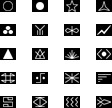
- It is possible to make parts of the logo transparent. This means, that some pixels can be seen through.
- Pixels to be transparent must be filled with pink (color code #FF00FF) and saved as .bmp format
- Tip: The default program on your computer (Paint) has the correct color pre-set in the color scheme above and can directly save it as .bmp
- Semi-transparent is also possible. However, this file must be saved as .tga. format. This requires a different program to make adjustments to this type of file.
- How a transparent logo looks like ingame (on the left ingame, and the logo on the right - feel free to use it):


Leveling up


- A guild can be leveled up, up to a maximum of level 40.
- Open up the guild window and click on the donate button next to the current guild level.
- Guilds up to level 20, can use member's Experience. This will remove your own experience and coverts it to the guild. (see right)
- From guild level 20, you have to either use Yang or Donation Tickets, to a maximum of 3 times a day:
- 120.000 Yang (x3)
 Medium Donation Ticket (x3)
 Large Donation Ticket (x3)
- In exchange for each offering, you will receive the following (only guild level 20+):
- Medal of Bravery
- Guild EXP
- The following at random:
 Foundation Stone,
  Plywood or
  Trunk
Trunk
- The amount of each varies depending on the type of donation chosen (small/medium/large)
Benefits of leveling up
- At certain guild levels, you will unlock features.
- One was already mentioned above, at guild level 3 you are able to upload a guild logo.
- Below a list of each guild level, the required experience and unlocked features:
| Guild level | Required EXP | Max. members | Max. Dragon Ghost | Unlocked feature |
|---|---|---|---|---|
| 1 | 600.000 | 32 | 400 | |
| 2 | 1.800.000 | 34 | 500 | |
| 3 | 3.600.000 | 36 | 600 | Able to upload a guild logo |
| 4 | 6.400.000 | 38 | 700 | |
| 5 | 9.400.000 | 40 | 800 | +5% EXP to guild donations |
| 6 | 13.000.000 | 42 | 900 | |
| 7 | 17.200.000 | 44 | 1000 | |
| 8 | 22.000.000 | 46 | 1100 | |
| 9 | 27.400.000 | 48 | 1200 | |
| 10 | 33.400.000 | 50 | 1300 | Increased maximum member count |
| 11 | 40.000.000 | 52 | 1400 | |
| 12 | 60.000.000 | 54 | 1500 | |
| 13 | 84.000.000 | 56 | 1600 | |
| 14 | 112.000.000 | 58 | 1700 | |
| 15 | 144.000.000 | 60 | 1800 | Cost reduction to Dragon Ghost |
| 16 | 180.000.000 | 62 | 1900 | |
| 17 | 260.000.000 | 64 | 2000 | |
| 18 | 320.000.000 | 66 | 2100 | |
| 19 | 400.000.000 | 68 | 2200 | |
| 20 | 4.500.000 | 72 | 2300 | Able to purchase Guild Land Tax exemption to Guild Bank |
| 21 | 4.725.000 | 74 | 2400 | Domain unlocked: Palace of the Dragon King (Akzadur) Domain unlocked: Balathor's Crypt |
| 22 | 4.950.000 | 76 | 2500 | |
| 23 | 5.175.000 | 78 | 2600 | |
| 24 | 5.400.000 | 80 | 2700 | Domain unlocked: Palace of the Dragon King (Nafaroth) |
| 25 | 5.625.000 | 82 | 2800 | |
| 26 | 5.850.000 | 84 | 2900 | |
| 27 | 6.075.000 | 86 | 3000 | Domain unlocked: Palace of the Dragon King (Exedyar) |
| 28 | 6.300.000 | 88 | 3100 | |
| 29 | 6.525.000 | 90 | 3200 | |
| 30 | 6.750.000 | 90 | 3300 | Domain unlocked: Palace of the Dragon King (Ruilith) |
| 31 | 6.975.000 | 90 | 3400 | |
| 32 | 7.200.000 | 90 | 3500 | |
| 33 | 7.425.000 | 90 | 3600 | |
| 34 | 7.650.000 | 90 | 3700 | |
| 35 | 7.875.000 | 90 | 3800 | Domain unlocked: Palace of the Dragon King (Tyolduran) |
| 36 | 8.100.000 | 90 | 3900 | |
| 37 | 8.325.000 | 90 | 4000 | |
| 38 | 8.550.000 | 90 | 4100 | |
| 39 | 8.775.000 | 90 | 4200 | |
| 40 | Maximum | 90 | 4300 |
Guild messages
Member list
Permissions

- You can set additional rights/permissions to members. Only the guild leader can make adjustments to this tab.
- You can give a group of members a role, almost like a hierarchy and select what they can or cannot do.
- New members automatically are given the 15th role.
- The guild leader has the 1st role by default and cannot be overruled.
- An explanation to what each role does from left to right:
- Invite: members with this role can invite other players to the guild (only 3 days after their previously left guild).
- Kick: members with this role can remove others members within the guild.
- Messages: members with this role can pin messages in the messages tab.
- Skills: members with this role can use guild skills.
- Combatant: members with this role can give or remove the combatant check of other members in the member list tab. Members with this check are able to join guild dungeons.
- Bank: members with this role can use the guild bank, as well as deposit and withdraw Yang within the bank, see the logs of the warehouse and place/remove items within the warehouse.
Guild War
Guild Skills





