Difference between revisions of "Guilds"
| [checked revision] | [checked revision] |
m (Bot: Adding hu:Céhek) |
m (→Guild Skills) |
||
| (42 intermediate revisions by 3 users not shown) | |||
| Line 1: | Line 1: | ||
{{subpage|[[Metin2Wiki:Portal|Metin2Wiki]]}} | {{subpage|[[Metin2Wiki:Portal|Metin2Wiki]]}} | ||
| − | [[File:Guardian.png|thumb|375px|The [[Guardian]] can create guilds | + | [[File:Guardian.png|thumb|375px|link=Guardian|The [[Guardian]] can create guilds]] |
__TOC__ | __TOC__ | ||
| − | === General === | + | === General and setup === |
| − | + | *Do you feel like you can manage a group of players while fighting together, have a fond friendship or perhaps share the same interests? Then you might just want to create a guild. | |
| + | *You are eligible to create a guild if you are at least level 40 and have 200.000 [[Yang]]. You can then go to {{Tm|Guardian}} standing in each center town of map1. You have to come up with a guild name that is not already taken. Take note that the TOC and game rules also apply to choosing names of guilds. | ||
| + | :*You cannot create a guild if you have left a previous guild in the first 3 days. (This also applies to players who want to join a (new) guild.) | ||
| + | *The first thing you might want to do is setting up additional [[Guilds#Permissions|permissions]] for other members. You can read all about that a little further down below. | ||
| + | *Once you have joined a guild, you can communicate with each other in the [[User Interface|chatbar]], by either pressing the 'normal' button to 'guild' or write '''%''' at the start of the sentence. | ||
| + | <br><br> | ||
| + | *You can open up the guild tab with ALT + G or open the [[User Interface|community window]] ALT + M and select guild tab > guild information. | ||
| + | :*If you are not in any guild yet, you will see a guild ranking list instead. | ||
| + | :*You can also see guilds that are open for applications, marked with a check symbol. Guild leaders can setup an application by Guardian. | ||
| + | ::*Guild needs to be at least level 6, and have 100.000 Yang in the deposit. It will be visible after the next maintenance. | ||
| + | <br><br> | ||
| + | *If you wish to leave or disband the guild, you can talk to Guardian. You won't be able to join another guild for 3 days. You can also let a member, who has the permission, to kick you instead. You cannot kick a guild leader. | ||
| + | :*It is possible to change the guild leader instead of deleting the guild. Go to the [[Guilds#Member list|member list]] and select the "Change Guild Leader" button. You also need a {{Ti|Ring of Successor}}. | ||
| + | <br><br> | ||
| − | + | ==== Guild Logo ==== | |
| + | {| | ||
| + | | | ||
| + | *The leader of a guild can upload a guild logo (also guild characters) once the guild reaches level 3 at least. It will then appear next to guild name on your screen and it will be visible to other players. | ||
| + | *Open up the guild window and select the button to change the logo, located at the upper right corner. | ||
| + | *You can either use one of the preset 100 logo (shown right and below). | ||
| + | *You can also create your own logo. It must be sized 16x12 pixels with either format: '''.jpg / .gif / .bmp / .tga''' | ||
| + | :*Format '''.png''' cannot be used! | ||
| + | *Self-made logo files must be saved on your computer and located to where the default logo's are: | ||
| + | :*'''\Metin2\en-EN\upload''' | ||
| + | *Go to the upload section again and if necessary, click on refresh to let the game update the folder content. | ||
| + | | [[File:Guild Logo 1-20.png|link=]] | ||
| + | |- | ||
| + | |colspan=2| [[File:Guild Logo 21-100.png|center|link=]] | ||
| + | |} | ||
| + | <br><br> | ||
| + | |||
| + | ===== Transparent Guild Logo ===== | ||
| + | *It is possible to make parts of the logo transparent. This means, that some pixels can be seen through. | ||
| + | *Pixels to be transparent must be filled with pink (color code '''#FF00FF''') and saved as '''.bmp''' format | ||
| + | :*Tip: The default program on your computer (Paint) has the correct color pre-set in the color scheme above and can directly save it as .bmp | ||
| + | *Semi-transparent is also possible. However, this file must be saved as '''.tga''' format. This requires a different program to make adjustments to this type of file. | ||
| + | *How a transparent logo looks like ingame (on the left ingame, and the logo on the right - feel free to use it): | ||
| + | :::[[File:Guild Transparent Logo IG.png|link=]] [[File:Guild Transparent Logo.png]] | ||
| + | <br><br> | ||
| + | |||
| + | {{top}} | ||
| + | |||
| + | ==== Leveling up ==== | ||
| + | [[File:Invest Experience.png|thumb|link=|Invest experience (to level 20)]] | ||
| + | [[File:Invest Experience2.png|thumb|link=|Invest experience (from level 20)]] | ||
| + | *A guild can be leveled up, up to a maximum of level 40. | ||
| + | *Open up the guild window and click on the donate button next to the current guild level. | ||
| + | *Guilds up to level 20, can use member's [[Experience]]. This will remove your own experience and coverts it to the guild. (see right) | ||
| + | *From guild level 20, you have to either use [[Yang]] or [[Donation Ticket|Donation Tickets]], to a maximum of 3 times a day: | ||
| + | :*120.000 Yang (x3) | ||
| + | :*{{Ti|Medium Donation Ticket}} (x3) | ||
| + | :*{{Ti|Large Donation Ticket}} (x3) | ||
| + | *In exchange for each offering, you will receive the following (only guild level 20+): | ||
| + | :*[[Medal of Bravery]] | ||
| + | :*Guild EXP | ||
| + | :*The following at random: {{Ti|Foundation Stone}}, {{Ti|Plywood}} or {{Ti|Trunk}} | ||
| + | *The amount of each varies depending on the type of donation chosen (small/medium/large) | ||
| + | <br> | ||
| + | |||
| + | ===== Benefits of leveling up ===== | ||
| + | *At certain guild levels, you will unlock features. | ||
| + | *One was already mentioned above, at guild level 3 you are able to upload a guild logo. | ||
| + | *Below a list of each guild level, the required experience and unlocked features: | ||
| + | {| {{Prettytable}} | ||
| + | |- {{Hl3}} | ||
| + | ! Guild level | ||
| + | ! Required EXP | ||
| + | ! Max. members | ||
| + | ! Dragon God Power | ||
| + | ! Unlocked feature | ||
| + | |- align=center | ||
| + | | 1 | ||
| + | | 600.000 | ||
| + | | 32 | ||
| + | | 400 | ||
| + | | | ||
| + | |- align=center | ||
| + | | 2 | ||
| + | | 1.800.000 | ||
| + | | 34 | ||
| + | | 500 | ||
| + | | Able to [[Guilds#Guild War|declare war]] | ||
| + | |- align=center | ||
| + | | 3 | ||
| + | | 3.600.000 | ||
| + | | 36 | ||
| + | | 600 | ||
| + | | Able to upload a [[Guilds#Guild Logo|guild logo]] <br> Domain unlocked: [[Meley's Lair (Guild)]] | ||
| + | |- align=center | ||
| + | | 4 | ||
| + | | 6.400.000 | ||
| + | | 38 | ||
| + | | 700 | ||
| + | | | ||
| + | |- align=center | ||
| + | | 5 | ||
| + | | 9.400.000 | ||
| + | | 40 | ||
| + | | 800 | ||
| + | | +5% EXP to guild donations | ||
| + | |- align=center | ||
| + | | 6 | ||
| + | | 13.000.000 | ||
| + | | 42 | ||
| + | | 900 | ||
| + | | | ||
| + | |- align=center | ||
| + | | 7 | ||
| + | | 17.200.000 | ||
| + | | 44 | ||
| + | | 1000 | ||
| + | | | ||
| + | |- align=center | ||
| + | | 8 | ||
| + | | 22.000.000 | ||
| + | | 46 | ||
| + | | 1100 | ||
| + | | | ||
| + | |- align=center | ||
| + | | 9 | ||
| + | | 27.400.000 | ||
| + | | 48 | ||
| + | | 1200 | ||
| + | | | ||
| + | |- align=center | ||
| + | | 10 | ||
| + | | 33.400.000 | ||
| + | | 50 | ||
| + | | 1300 | ||
| + | | Increased maximum member count | ||
| + | |- align=center | ||
| + | | 11 | ||
| + | | 40.000.000 | ||
| + | | 52 | ||
| + | | 1400 | ||
| + | | | ||
| + | |- align=center | ||
| + | | 12 | ||
| + | | 60.000.000 | ||
| + | | 54 | ||
| + | | 1500 | ||
| + | | | ||
| + | |- align=center | ||
| + | | 13 | ||
| + | | 84.000.000 | ||
| + | | 56 | ||
| + | | 1600 | ||
| + | | | ||
| + | |- align=center | ||
| + | | 14 | ||
| + | | 112.000.000 | ||
| + | | 58 | ||
| + | | 1700 | ||
| + | | | ||
| + | |- align=center | ||
| + | | 15 | ||
| + | | 144.000.000 | ||
| + | | 60 | ||
| + | | 1800 | ||
| + | | Cost reduction to [[Guilds#Guild Skills|Dragon God Power]] | ||
| + | |- align=center | ||
| + | | 16 | ||
| + | | 180.000.000 | ||
| + | | 62 | ||
| + | | 1900 | ||
| + | | | ||
| + | |- align=center | ||
| + | | 17 | ||
| + | | 260.000.000 | ||
| + | | 64 | ||
| + | | 2000 | ||
| + | | | ||
| + | |- align=center | ||
| + | | 18 | ||
| + | | 320.000.000 | ||
| + | | 66 | ||
| + | | 2100 | ||
| + | | | ||
| + | |- align=center | ||
| + | | 19 | ||
| + | | 400.000.000 | ||
| + | | 68 | ||
| + | | 2200 | ||
| + | | | ||
| + | |- align=center | ||
| + | | 20 | ||
| + | | 4.500.000 | ||
| + | | 72 | ||
| + | | 2300 | ||
| + | | Able to purchase [[Guilds#Guild Land|Guild Land]] <br> Tax exemption to [[Guilds#Guild Bank|Guild Bank]] | ||
| + | |- align=center | ||
| + | | 21 | ||
| + | | 4.725.000 | ||
| + | | 74 | ||
| + | | 2400 | ||
| + | | Domain unlocked: [[Palace of the Dragon King (Akzadur)]] <br> Domain unlocked: [[Balathor's Crypt]] | ||
| + | |- align=center | ||
| + | | 22 | ||
| + | | 4.950.000 | ||
| + | | 76 | ||
| + | | 2500 | ||
| + | | | ||
| + | |- align=center | ||
| + | | 23 | ||
| + | | 5.175.000 | ||
| + | | 78 | ||
| + | | 2600 | ||
| + | | | ||
| + | |- align=center | ||
| + | | 24 | ||
| + | | 5.400.000 | ||
| + | | 80 | ||
| + | | 2700 | ||
| + | | Domain unlocked: [[Palace of the Dragon King (Nafaroth)]] | ||
| + | |- align=center | ||
| + | | 25 | ||
| + | | 5.625.000 | ||
| + | | 82 | ||
| + | | 2800 | ||
| + | | | ||
| + | |- align=center | ||
| + | | 26 | ||
| + | | 5.850.000 | ||
| + | | 84 | ||
| + | | 2900 | ||
| + | | | ||
| + | |- align=center | ||
| + | | 27 | ||
| + | | 6.075.000 | ||
| + | | 86 | ||
| + | | 3000 | ||
| + | | Domain unlocked: [[Palace of the Dragon King (Exedyar)]] | ||
| + | |- align=center | ||
| + | | 28 | ||
| + | | 6.300.000 | ||
| + | | 88 | ||
| + | | 3100 | ||
| + | | | ||
| + | |- align=center | ||
| + | | 29 | ||
| + | | 6.525.000 | ||
| + | | 90 | ||
| + | | 3200 | ||
| + | | | ||
| + | |- align=center | ||
| + | | 30 | ||
| + | | 6.750.000 | ||
| + | | 90 | ||
| + | | 3300 | ||
| + | | Domain unlocked: [[Palace of the Dragon King (Ruilith)]] | ||
| + | |- align=center | ||
| + | | 31 | ||
| + | | 6.975.000 | ||
| + | | 90 | ||
| + | | 3400 | ||
| + | | | ||
| + | |- align=center | ||
| + | | 32 | ||
| + | | 7.200.000 | ||
| + | | 90 | ||
| + | | 3500 | ||
| + | | | ||
| + | |- align=center | ||
| + | | 33 | ||
| + | | 7.425.000 | ||
| + | | 90 | ||
| + | | 3600 | ||
| + | | | ||
| + | |- align=center | ||
| + | | 34 | ||
| + | | 7.650.000 | ||
| + | | 90 | ||
| + | | 3700 | ||
| + | | | ||
| + | |- align=center | ||
| + | | 35 | ||
| + | | 7.875.000 | ||
| + | | 90 | ||
| + | | 3800 | ||
| + | | Domain unlocked: [[Palace of the Dragon King (Tyolduran)]] | ||
| + | |- align=center | ||
| + | | 36 | ||
| + | | 8.100.000 | ||
| + | | 90 | ||
| + | | 3900 | ||
| + | | | ||
| + | |- align=center | ||
| + | | 37 | ||
| + | | 8.325.000 | ||
| + | | 90 | ||
| + | | 4000 | ||
| + | | | ||
| + | |- align=center | ||
| + | | 38 | ||
| + | | 8.550.000 | ||
| + | | 90 | ||
| + | | 4100 | ||
| + | | | ||
| + | |- align=center | ||
| + | | 39 | ||
| + | | 8.775.000 | ||
| + | | 90 | ||
| + | | 4200 | ||
| + | | | ||
| + | |- align=center | ||
| + | | 40 | ||
| + | | Maximum | ||
| + | | 90 | ||
| + | | 4300 | ||
| + | | | ||
| + | |- align=center | ||
| + | |} | ||
| + | <br><br> | ||
| − | |||
{{top}} | {{top}} | ||
| − | === Guild | + | ==== Guild messages ==== |
| − | The guild leader can | + | |
| + | ==== Member list ==== | ||
| + | |||
| + | ==== Permissions ==== | ||
| + | [[File:Guild UI Permissions.png|thumb|link=|Permissions tab UI]] | ||
| + | *You can set additional rights/permissions to members. Only the guild leader can make adjustments to this tab. | ||
| + | *You can give a group of members a role, almost like a hierarchy and select what they can or cannot do. | ||
| + | *New members automatically are given the 15th role. | ||
| + | *The guild leader has the 1st role by default and cannot be overruled. | ||
| + | *An explanation to what each role does from left to right: | ||
| + | :*'''Invite:''' members with this role can invite other players to the guild (only 3 days after their previously left guild). | ||
| + | :*'''Kick:''' members with this role can remove others members within the guild. | ||
| + | :*'''Messages:''' members with this role can pin messages in the [[Guilds#Guild messages|messages]] tab. | ||
| + | :*'''Skills:''' members with this role can use [[Guilds#Guild Skills|guild skills]]. | ||
| + | :*'''Combatant:''' members with this role can give or remove the combatant check of other members in the [[Guilds#Member list|member list]] tab. Members with this check are able to join [[Guilds#Guild Dungeons|guild dungeons]] and accept/decline [[Guilds#Guild War|guild war]] declaration. | ||
| + | :*'''Bank:''' members with this role can use the [[Guilds#Guild Bank|guild bank]], as well as deposit and withdraw Yang or items within the bank and see the logs of the warehouse. | ||
| + | <br><br> | ||
| + | |||
{{top}} | {{top}} | ||
| − | === Guild | + | === Guild War === |
| − | + | [[File:Guild War Area (Arena) Interactive Map.png|link=Guild War Area (Arena)|thumb|125px|[[Guild War Area (Arena)|Arena]]]] | |
| − | | | + | [[File:Guild War Area (Flag) Interactive Map.png|link=Guild War Area (Flag)|thumb|125px|[[Guild War Area (Flag)|Flag]]]] |
| − | + | [[File:Guild War Area (Annihilation) Interactive Map.jpg|link=Guild War Area (Annihilation)|thumb|125px|[[Guild War Area (Annihilation)|Annihilation]]]] | |
| − | + | [[File:Guild War Area (Time Attack) Interactive Map.jpg|link=Guild War Area (Time Attack)|thumb|125px|[[Guild War Area (Time Attack)|Time Attack]]]] | |
| − | ( | + | [[File:Guild War Area (Shield Battle) Interactive Map.jpg|link=Guild War Area (Shield Battle)|thumb|125px|align="left"|[[Guild War Area (Shield Battle)|Shield Battle]]]] |
| − | + | *Guilds can declare war to each other. Only the guild leader can make such a call. | |
| − | + | *The only requirement is both guilds must be at least level 2 and need to have at least 8 guild members of which 1 player is online that has the [[Guilds#Permissions|permission]] 'Combatant' enabled. Character level does not matter. Players with this check can also accept or decline guild war declarations. | |
| − | | | + | *To declare a war, open the guild window and press the declare war button, located at the bottom right. |
| − | | | + | *Enter your opponent's guild name and choose the type of war. You can choose between 6 different war types. |
| − | + | *To join the war, a quest scroll will appear in 'Main Quests' where you can choose to teleport to the area. | |
<br> | <br> | ||
| + | :*'''Field Battle''' | ||
| + | ::*You fight in the open world, this can be anywhere on the continent. | ||
| + | ::*You receive points for each kill you make towards the enemy guild. The amount of points is equal to the level of the defeated player. | ||
| + | ::*'''!! Take note that during this type of war, none of the guild members in war will obtain [[Experience]], [[Yang]] or other [[Items|item]] drop from [[Monsters]] !!''' | ||
| + | ::*Selectable options: | ||
| + | :::*1, 3 or 5 rounds | ||
| + | :::*10, 30 or 60 minutes | ||
| + | |||
| + | :*'''Arena Battle''' | ||
| + | ::*You will be teleported to a different map: [[Guild War Area (Arena)|Arena]] | ||
| + | ::*Each kill you make will give you 1 point. | ||
| + | ::*Instant revive possible after defeat. | ||
| + | ::*Selectable options: | ||
| + | :::*1, 3 or 5 rounds | ||
| + | :::*30, 50 or 100 points | ||
| + | :::*10, 30 or 60 minutes | ||
| + | |||
| + | :*'''Capture the Flag''' | ||
| + | ::*You will be teleported to a different map: [[Guild War Area (Flag)|Flag]] | ||
| + | ::*You must capture the opponent's flag to your home. | ||
| + | ::*Once you have captured the flag, your movement speed is decreased to 50, cannot be increased. | ||
| + | ::*Killing opponents does not influence the points, but can be useful. | ||
| + | ::*When a flag is brought home, a round is over | ||
| + | ::*Selectable options: | ||
| + | :::*1, 3 or 5 rounds | ||
| + | :::*10, 30 or 60 minutes | ||
| + | |||
| + | :*'''Annihilation''' | ||
| + | ::*You will be teleported to a different map: [[Guild War Area (Annihilation)|Annihilation]] | ||
| + | ::*Destroy the objects to obtain points. | ||
| + | ::*Selectable options: | ||
| + | :::*1, 3 or 5 rounds | ||
| + | :::*10, 30 or 60 minutes | ||
| + | |||
| + | :*'''Time Attack''' | ||
| + | ::*You will be teleported to a different map: [[Guild War Area (Time Attack)|Time Attack]] | ||
| + | ::*Both guilds are separated. | ||
| + | ::*You must destroy the [[Hearth]] | ||
| + | ::*Selectable options: | ||
| + | :::*1, 3 or 5 rounds | ||
| + | |||
| + | :*'''Shield Battle''' | ||
| + | ::*You will be teleported to a different map: [[Guild War Area (Shield Battle)|Shield Battle]] | ||
| + | ::*One must destroy the [[Hearth]], while the other protects it. | ||
| + | ::*Selectable options: | ||
| + | :::*1, 3 or 5 rounds | ||
| + | :::*10, 30 or 60 minutes | ||
<br> | <br> | ||
| − | ==== | + | |
| − | + | ==== Guild Skills ==== | |
| − | + | *You can use specific guild skills during a war or domain. | |
| − | + | *Any member can use the skill, but the effect only works when they have the [[Guilds#Permissions|permission]] "Skills" checked. It will consume Dragon Ghost Power anyway in any case. | |
| − | + | *Once used, all players within the guild and same map will receive the buff for a set amount of time period. | |
| − | : | + | *A [[Status Icons|status icon]] will appear aswell in the upper left corner: [[File:Blood of Dragon God Status Icon.png|25px|link=Status Icons]][[File:Benediction of Dragon God Status Icon.png|25px|link=Status Icons]][[File:Holy Armour Status Icon.png|25px|link=Status Icons]][[File:Acceleration Status Icon.png|25px|link=Status Icons]][[File:Wrath of the Dragon God Status Icon.png|25px|link=Status Icons]][[File:Casting Aid Status Icon.png|25px|link=Status Icons]][[File:Balathor's Storm Status Icon.png|25px|link=Status Icons]][[File:Balathor's Will Status Icon.png|25px|link=Status Icons]][[File:Balathor's Resolve Status Icon.png|25px|link=Status Icons]] |
| + | *Multiple skills can be used at the same time. | ||
| + | *Skill points can be obtained from leveling the guild, 1 point per level. | ||
| + | *The maximum level of each skill is level 7. | ||
<br> | <br> | ||
| + | |||
| + | {| {{Prettytable}} | ||
| + | |- {{Hl3}} | ||
| + | !rowspan=2| Icon | ||
| + | !rowspan=2| Skill name | ||
| + | !rowspan=2| Bonus | ||
| + | !rowspan=2| Cooldown | ||
| + | !colspan=7| Skill level | ||
| + | |- | ||
| + | ! 1 | ||
| + | ! 2 | ||
| + | ! 3 | ||
| + | ! 4 | ||
| + | ! 5 | ||
| + | ! 6 | ||
| + | ! 7 | ||
| + | |- | ||
| + | | [[File:Blood Of Dragon God.png|link=]] | ||
| + | | Blood of Dragon God | ||
| + | | Max. HP | ||
| + | | 600 | ||
| + | | +2% | ||
| + | | +5% | ||
| + | | +8% | ||
| + | | +12% | ||
| + | | +14% | ||
| + | | +17% | ||
| + | | +20% | ||
| + | |- | ||
| + | | [[File:Benediction Of Dragon God.png|link=]] | ||
| + | | Benediction of Dragon God | ||
| + | | Max. SP | ||
| + | | 600 | ||
| + | | +2% | ||
| + | | +5% | ||
| + | | +8% | ||
| + | | +12% | ||
| + | | +14% | ||
| + | | +17% | ||
| + | | +20% | ||
| + | |- | ||
| + | | [[File:Holy Armour.png|link=]] | ||
| + | | Holy Armour | ||
| + | | Defence | ||
| + | | 480 | ||
| + | | +1,4% | ||
| + | | +2,9% | ||
| + | | +4,3% | ||
| + | | +5,7% | ||
| + | | +7,1% | ||
| + | | +8,5% | ||
| + | | +10% | ||
| + | |- | ||
| + | | [[File:Acceleration.png|link=]] | ||
| + | | Acceleration | ||
| + | | Movement/Attack Speed | ||
| + | | 480 | ||
| + | | +4,3% | ||
| + | | +8,6% | ||
| + | | +12,9% | ||
| + | | +17,2% | ||
| + | | +21,5% | ||
| + | | +25,7% | ||
| + | | +30% | ||
| + | |- | ||
| + | | [[File:Rage Of Dragon God.png|link=]] | ||
| + | | Wrath of the Dragon God | ||
| + | | Critical Hit | ||
| + | | 480 | ||
| + | | +7% | ||
| + | | +14% | ||
| + | | +21% | ||
| + | | +28% | ||
| + | | +35% | ||
| + | | +42% | ||
| + | | +50% | ||
| + | |- | ||
| + | | [[File:Casting Aid.png|link=]] | ||
| + | | Casting Aid | ||
| + | | Casting Speed | ||
| + | | 480 | ||
| + | | +7% | ||
| + | | +14% | ||
| + | | +21% | ||
| + | | +28% | ||
| + | | +35% | ||
| + | | +42% | ||
| + | | +50% | ||
| + | |- | ||
| + | |colspan=4 align=center| Amount of Dragon God Power required for guild wars | ||
| + | | 171 | ||
| + | | 192 | ||
| + | | 214 | ||
| + | | 235 | ||
| + | | 257 | ||
| + | | 278 | ||
| + | | 300 | ||
| + | |- | ||
| + | | [[File:Balathor's Storm.png|link=]] | ||
| + | | Balathor's Storm | ||
| + | | Defence against faint/slowing | ||
| + | | 600 | ||
| + | | 4 sec. | ||
| + | | 8 sec. | ||
| + | | 12 sec. | ||
| + | | 16 sec. | ||
| + | | 20 sec. | ||
| + | | 24 sec. | ||
| + | | 30 sec. | ||
| + | |- | ||
| + | | [[File:Balathor's Will.png|link=]] | ||
| + | | Balathor's Will | ||
| + | | Defence against stun/shackle/freeze | ||
| + | | 600 | ||
| + | | 4 sec. | ||
| + | | 8 sec. | ||
| + | | 12 sec. | ||
| + | | 16 sec. | ||
| + | | 20 sec. | ||
| + | | 24 sec. | ||
| + | | 30 sec. | ||
| + | |- | ||
| + | | [[File:Balathor's Resolve.png|link=]] | ||
| + | | Balathor's Resolve | ||
| + | | Defence against knockback | ||
| + | | 600 | ||
| + | | 4 sec. | ||
| + | | 8 sec. | ||
| + | | 12 sec. | ||
| + | | 16 sec. | ||
| + | | 20 sec. | ||
| + | | 24 sec. | ||
| + | | 30 sec. | ||
| + | |- | ||
| + | |colspan=4 align=center| Amount of Dragon God Power required for Balathor skills | ||
| + | | 342 | ||
| + | | ? | ||
| + | | ? | ||
| + | | ? | ||
| + | | ? | ||
| + | | ? | ||
| + | | ? | ||
| + | |- | ||
| + | |} | ||
<br> | <br> | ||
| − | |||
| − | |||
| − | |||
| − | |||
| − | + | *Balathor skills can be unlocked when the guild leader or a guild member with the combatant check reads {{Ti|Balathor's Skill Book}}. | |
| − | [[ | + | *Reading this book can fail, but when successful, 1 point will be given at random. To further upgrade the skill, you must use the regular skill points just like the common skills. |
| − | + | *Using guild skills consumes Dragon Ghost Power and can only be used when there is enough power left. To restore the power bar, go to the guild skill tab and select 'restore Dragon Ghost Power'. Each power costs 100 [[Yang]]. The Yang must already be present within the Guild Bank. | |
| − | + | *Assigning guild skill points to a skill, you cannot reverse it that easily. Should you be dissatisfied, you can use {{Ti|Guild Contract}} to re-assign the guild skill points. The Balathor skills however, have to be re-read again. | |
| + | *Although the maximum guild skill level is 7, and the guild level 40, you cannot maximize all skills. | ||
| − | + | <br><br> | |
| − | + | {{top}} | |
| − | * | + | === Guild Land === |
| − | : | + | ==== Acquiring land ==== |
| + | *Guild land can be bought on maps with appropriate land, this can be: | ||
| + | :*[[Joan]], [[Waryong]], [[Songpa]], [[Pyungmoo]], [[Imha]], [[Daeyami]], [[Yongan]], [[Jungrang]], [[Miryang]] and [[Dong Gwang Plain]]. | ||
| + | *When map1 does not have available land, bidding takes place in guild map 1. And if that map is fully taken, it takes place in guild map2. | ||
| + | *Can only be bought by guild leaders. | ||
| + | *Has to be bought by auctions, that are being held regularly. This is announced in the chat 6 hours prior and every time you change maps. | ||
| + | *First, the guild leader has to be registered. Talk to the {{Tm|Land Agent}} of the land that is being auctioned. | ||
| + | :*'''Note:''' after registry, you cannot trade with players anymore until the bidding is over !! | ||
| + | *When the auction begins, you have one hour to place your bid. Bidding is done with [[Won]] only. | ||
| + | *The highest bid acquires the piece of land. In case of a tie, the first leader to place the bid gets the land. | ||
| + | *Players who did not succeed in getting a piece of land can get their wons back by {{Tm|Guardian}}. | ||
| + | <br> | ||
| − | * | + | *When you own a piece of land, you have to pay land tax. |
| − | : | + | :*In kingdom maps, it costs 5.000.000 [[Yang]] per day. |
| + | :*In [[Dong Gwang Plain]], it costs 1 [[Won]] per day. | ||
| + | *You can delay paying to a maximum of 9 days. If you do not pay on the 10th day, you will loose the land. You will see a notice in the chat. | ||
| + | *You can pay by [[Guardian]] using Yang from the guild bank. | ||
| + | <br> | ||
| − | * | + | ==== Building ==== |
| − | + | *Go to your property and click on the Building button on the bottom right corner. | |
| − | + | *Make sure you have enough Yang stored within the guild bank before building. | |
| + | *You need additional materials for certain buildings/objects: | ||
| + | :*{{Ti|Foundation Stone}} | ||
| + | :*{{Ti|Plywood}} | ||
| + | :*{{Ti|Trunk}} | ||
| + | :*{{Ti|Foundation Stone+}} | ||
| + | :*{{Ti|Plywood+}} | ||
| + | :*{{Ti|Trunk+}} | ||
| + | *There should be no players, monsters or objects staying on the spot you want to build. | ||
| + | <br> | ||
| − | === Guild | + | ===== Main building ===== |
| − | [[File:Guild | + | ====== Guild House ====== |
| − | + | {| {{Prettytable}} | |
| − | + | |- {{Hl3}} | |
| + | ! Material | ||
| + | ! Costs | ||
| + | ! Note | ||
| + | ! Building | ||
| + | |- | ||
| + | | {{Ti|Yang}} | ||
| + | | 20 Million | ||
| + | | rowspan=4| | ||
| + | *Must be build first in order to build other objects/decorations | ||
| + | *Available in 3 different colours | ||
| + | | rowspan=4| [[File:Guild House1-3.png|325px]] | ||
| + | |- | ||
| + | | {{Ti|Foundation Stone}} | ||
| + | | 20x | ||
| + | |- | ||
| + | | {{Ti|Plywood}} | ||
| + | | 25x | ||
| + | |- | ||
| + | | {{Ti|Trunk}} | ||
| + | | 30x | ||
| + | |- | ||
| + | |} | ||
| − | + | ====== Blacksmith ====== | |
| − | : | + | {| {{Prettytable}} |
| − | : | + | |- {{Hl3}} |
| − | : | + | ! NPC |
| + | ! Material | ||
| + | ! Costs | ||
| + | ! Note | ||
| + | ! Building | ||
| + | |- | ||
| + | | rowspan=4| [[File:Blacksmith.png|link=Guild Blacksmith|150px]] | ||
| + | | {{Ti|Yang}} | ||
| + | | 20 Million | ||
| + | | rowspan=4| | ||
| + | *Available in 3 different Blacksmiths: | ||
| + | :*[[Armoursmith Stanton]] | ||
| + | :*[[Weaponsmith Stanley]] | ||
| + | :*[[Acc. Designer Starbuck]] | ||
| + | *Provides 10% more success chance when upgrading, but also costs 10% more Yang | ||
| + | | rowspan=4| [[File:Blacksmith Building.png|150px]] | ||
| + | |- | ||
| + | | {{Ti|Foundation Stone}} | ||
| + | | 20x | ||
| + | |- | ||
| + | | {{Ti|Plywood}} | ||
| + | | 20x | ||
| + | |- | ||
| + | | {{Ti|Trunk}} | ||
| + | | 30x | ||
| + | |- | ||
| + | |} | ||
| − | + | ====== Alchemist (kingdom) ====== | |
| − | : | + | {| {{Prettytable}} |
| − | + | |- {{Hl3}} | |
| + | ! NPC | ||
| + | ! Material | ||
| + | ! Costs | ||
| + | ! Note | ||
| + | ! Building | ||
| + | |- | ||
| + | | rowspan=4| [[File:Alchemist (Energy System).png|link=Alchemist (Guilds)|150px]] | ||
| + | | {{Ti|Yang}} | ||
| + | | 20 Million | ||
| + | | rowspan=4| | ||
| + | *Available in 18 different Alchemists | ||
| + | *Can be used to [[Mining#Refining_ores|refine ores]] | ||
| + | *Each [[Alchemist (Guilds)|Alchemist]] specializes in its own type of ore | ||
| + | *Bring 100 ore, a [[Spirit Stones|spirit stone]] +0~3 and 3000 Yang to make a refinement | ||
| + | *Provides 60% success chance when you perform the refinement on the corresponding Alchemist, otherwise 30% | ||
| + | | rowspan=4| [[File:Guild Smelter.png|150px]] | ||
| + | |- | ||
| + | | {{Ti|Foundation Stone}} | ||
| + | | 15x | ||
| + | |- | ||
| + | | {{Ti|Plywood}} | ||
| + | | 25x | ||
| + | |- | ||
| + | | {{Ti|Trunk}} | ||
| + | | 20x | ||
| + | |- | ||
| + | |} | ||
| − | + | ====== Alchemist (yohara) ====== | |
| − | : | + | {| {{Prettytable}} |
| − | + | |- {{Hl3}} | |
| − | {{ | + | ! NPC |
| + | ! Material | ||
| + | ! Costs | ||
| + | ! Note | ||
| + | ! Building | ||
| + | |- | ||
| + | | rowspan=4| [[File:Alchemist (Energy System).png|link=Alchemist (Guilds)|150px]] | ||
| + | | {{Ti|Yang}} | ||
| + | | 1 Billion | ||
| + | | rowspan=4| | ||
| + | *Available in 5 different Alchemists | ||
| + | *Can be used to [[Mining#Refining_ores|refine ores]] | ||
| + | :*{{Ti|Dark Jadite}} | ||
| + | :*{{Ti|Fog Jadite}} | ||
| + | :*{{Ti|Smoky Jadite}} | ||
| + | :*{{Ti|Sun Jadite}} | ||
| + | :*{{Ti|Cobalt}} | ||
| + | *Each [[Alchemist (Guilds)|Alchemist]] specializes in its own type of ore | ||
| + | *Bring 100 ore, a [[Spirit Stones|spirit stone]] +0~3 and 3000 Yang to make a refinement | ||
| + | *Provides 60% success chance when you perform the refinement on the corresponding Alchemist, otherwise 30% | ||
| + | | rowspan=4| [[File:Guild Smelter.png|150px]] | ||
| + | |- | ||
| + | | {{Ti|Foundation Stone+}} | ||
| + | | 20x | ||
| + | |- | ||
| + | | {{Ti|Plywood+}} | ||
| + | | 20x | ||
| + | |- | ||
| + | | {{Ti|Trunk+}} | ||
| + | | 30x | ||
| + | |- | ||
| + | |} | ||
| − | === | + | ====== Altar of Power ====== |
| − | [[File: | + | {| {{Prettytable}} |
| − | [[File: | + | |- {{Hl3}} |
| − | + | ! NPC | |
| − | + | ! Material | |
| + | ! Costs | ||
| + | ! Note | ||
| + | ! Building | ||
| + | |- | ||
| + | | rowspan=16| [[File:Stable Boy.png|link=Altar Guard|150px]] | ||
| + | |- {{Hl3}} | ||
| + | ! colspan=4| Level 1 | ||
| + | |- | ||
| + | | {{Ti|Yang}} | ||
| + | | 25 Million | ||
| + | | rowspan=4| | ||
| + | *Available in 3 different levels | ||
| + | *Each level increases the maximum member count within the guild | ||
| + | *Level 1: +6 members | ||
| + | | rowspan=4| [[File:Altar of Power.png|150px]] | ||
| + | |- | ||
| + | | {{Ti|Foundation Stone}} | ||
| + | | 25x | ||
| + | |- | ||
| + | | {{Ti|Plywood}} | ||
| + | | 25x | ||
| + | |- | ||
| + | | {{Ti|Trunk}} | ||
| + | | 30x | ||
| + | |- {{Hl3}} | ||
| + | ! colspan=5| Level 2 | ||
| + | |- | ||
| + | | {{Ti|Yang}} | ||
| + | | 25 Million | ||
| + | | rowspan=4| | ||
| + | *Available in 3 different levels | ||
| + | *Each level increases the maximum member count within the guild | ||
| + | *Level 2: +6 members (12) | ||
| + | | rowspan=4| [[File:Altar of Power 1.png|150px]] | ||
| + | |- | ||
| + | | {{Ti|Foundation Stone}} | ||
| + | | 10x | ||
| + | |- | ||
| + | | {{Ti|Plywood}} | ||
| + | | 15x | ||
| + | |- | ||
| + | | {{Ti|Trunk}} | ||
| + | | 10x | ||
| + | |- {{Hl3}} | ||
| + | ! colspan=5| Level 3 | ||
| + | |- | ||
| + | | {{Ti|Yang}} | ||
| + | | 25 Million | ||
| + | | rowspan=4| | ||
| + | *Available in 3 different levels | ||
| + | *Each level increases the maximum member count within the guild | ||
| + | *Level 3: +6 members (18) | ||
| + | | rowspan=4| [[File:Altar of Power 2.png|150px]] | ||
| + | |- | ||
| + | | {{Ti|Foundation Stone}} | ||
| + | | 15x | ||
| + | |- | ||
| + | | {{Ti|Plywood}} | ||
| + | | 20x | ||
| + | |- | ||
| + | | {{Ti|Trunk}} | ||
| + | | 20x | ||
| + | |- | ||
| + | |} | ||
| − | {| {{ | + | ====== Guild Bank ====== |
| + | {| {{Prettytable}} | ||
|- {{Hl3}} | |- {{Hl3}} | ||
| − | ! | + | ! NPC |
| − | ! | + | ! Material |
| − | ! | + | ! Costs |
| − | ! | + | ! Note |
| + | ! Building | ||
|- | |- | ||
| − | | | + | | rowspan=16| [[File:Guild Manager.png|link=Guild Manager|150px]] |
| − | | | + | |-{{Hl3}} |
| − | | | + | ! colspan=3| Level 1 |
| − | | | ||
|- | |- | ||
| − | | | + | | {{Ti|Yang}} |
| − | | | + | | 20 Million |
| − | | | + | | rowspan=4| |
| − | | | + | *Available in 3 different levels |
| + | *Each level increases the amount of inventory slots within the guild bank itself | ||
| + | *Other members can have access to this bank if they have received the [[Guilds#Permissions|permission]] 'Bank' | ||
| + | *Level 1: +40 slots | ||
| + | | rowspan=16| [[File:Guild Bank 2.png|150px]] | ||
|- | |- | ||
| − | | | + | | {{Ti|Foundation Stone}} |
| − | + | | 25x | |
| − | | | ||
| − | | | ||
|- | |- | ||
| − | | | + | | {{Ti|Plywood}} |
| − | + | | 25x | |
| − | | | ||
| − | | | ||
|- | |- | ||
| − | | | + | | {{Ti|Trunk}} |
| − | | | + | | 25x |
| − | | | + | |- {{Hl3}} |
| − | | | + | ! colspan=3| Level 2 |
|- | |- | ||
| − | | | + | | {{Ti|Yang}} |
| − | | | + | | 25 Million |
| − | | | + | | rowspan=4| |
| − | + | *Available in 3 different levels | |
| + | *Each level increases the amount of inventory slots within the guild bank itself | ||
| + | *Other members can have access to this bank if they have received the [[Guilds#Permissions|permission]] 'Bank' | ||
| + | *Level 2: +40 slots (80) | ||
|- | |- | ||
| − | | | + | | {{Ti|Foundation Stone}} |
| − | + | | 40x | |
| − | | | ||
| − | | | ||
|- | |- | ||
| − | | | + | | {{Ti|Plywood}} |
| − | + | | 30x | |
| − | | | ||
| − | | | ||
|- | |- | ||
| − | | | + | | {{Ti|Trunk}} |
| − | | | + | | 35x |
| − | | | + | |- {{Hl3}} |
| − | | | + | ! colspan=3| Level 3 |
|- | |- | ||
| − | | | + | | {{Ti|Yang}} |
| − | | | + | | 25 Million |
| − | | | + | | rowspan=4| |
| − | + | *Available in 3 different levels | |
| + | *Each level increases the amount of inventory slots within the guild bank itself | ||
| + | *Other members can have access to this bank if they have received the [[Guilds#Permissions|permission]] 'Bank' | ||
| + | *Level 3: +40 slots (120) | ||
|- | |- | ||
| − | | | + | | {{Ti|Foundation Stone}} |
| − | + | | 50x | |
| − | | | ||
| − | | | ||
|- | |- | ||
| − | | | + | | {{Ti|Plywood}} |
| − | + | | 40x | |
| − | | | ||
| − | | | ||
|- | |- | ||
| − | | | + | | {{Ti|Trunk}} |
| − | + | | 45x | |
| − | | | ||
| − | | | ||
|- | |- | ||
| − | | | + | |} |
| − | + | ||
| − | | | + | ====== Leather Stove ====== |
| − | + | {| {{Prettytable}} | |
| + | |- {{Hl3}} | ||
| + | ! NPC | ||
| + | ! Material | ||
| + | ! Costs | ||
| + | ! Note | ||
| + | ! Building | ||
|- | |- | ||
| − | | | + | | [[File:Inscriber.png|link=Inscriber|150px]] |
| − | | | + | | {{Ti|Yang}} |
| − | | | + | | 1 Billion |
| − | |1. | + | | |
| + | *You can buy {{Ti|Runestone}} from {{Tm|Inscriber}} for 1 [[Won]]. This purchase can only be done once | ||
| + | *If you want more Runestones, you have to delete and rebuild this building | ||
| + | | [[File:Blacksmith Building.png|150px]] | ||
|- | |- | ||
| − | | | + | |} |
| − | + | ||
| − | | | + | ====== Leathersmith ====== |
| − | + | {| {{Prettytable}} | |
| + | |- {{Hl3}} | ||
| + | ! NPC | ||
| + | ! Material | ||
| + | ! Costs | ||
| + | ! Note | ||
| + | ! Building | ||
|- | |- | ||
| − | | | + | | rowspan=5| [[File:Blacksmith.png|150px|link=Leathersmith]] |
| − | | | + | | {{Ti|Yang}} |
| − | | | + | | 1 Billion |
| − | | | + | | rowspan=5| |
| + | *The {{Tm|Leathersmith}} increases the chance of producing [[Gloves]] by 5% (in comparison of [[Master Chi]]) | ||
| + | | rowspan=5| [[File:Blacksmith Building.png|150px]] | ||
|- | |- | ||
| − | | | + | | {{Ti|Foundation Stone+}} |
| − | + | | 40x | |
| − | | | ||
| − | | | ||
|- | |- | ||
| − | | | + | | {{Ti|Plywood+}} |
| − | + | | 40x | |
| − | | | ||
| − | | | ||
|- | |- | ||
| − | | | + | | {{Ti|Trunk+}} |
| − | + | | 60x | |
| − | | | ||
| − | | | ||
|- | |- | ||
| − | | | + | | {{Ti|Runestone}} |
| − | + | | 1x | |
| − | | | ||
| − | | | ||
|} | |} | ||
| − | + | <br> | |
| − | |||
| − | |||
| − | |||
| − | === Guild | + | ===== Objects/Decoration ===== |
| − | [[File:Guild | + | ====== Guild Land Logo ====== |
| − | + | {| {{Prettytable}} | |
| − | + | |- {{Hl3}} | |
| + | ! Material | ||
| + | ! Costs | ||
| + | ! Note | ||
| + | ! Building | ||
| + | |- | ||
| + | | {{Ti|Yang}} | ||
| + | | 3 Million | ||
| + | | rowspan=3| | ||
| + | *This logo can be placed for decoration purposes | ||
| + | | rowspan=3| [[File:Guild Land Logo.png|100px]] | ||
| + | |- | ||
| + | | {{Ti|Plywood}} | ||
| + | | 5x | ||
| + | |- | ||
| + | | {{Ti|Trunk}} | ||
| + | | 5x | ||
| + | |- | ||
| + | |} | ||
| − | ==== | + | ====== Stones ====== |
| − | + | {| {{Prettytable}} | |
| + | |- {{Hl3}} | ||
| + | ! Material | ||
| + | ! Costs | ||
| + | ! Note | ||
| + | ! Building | ||
| + | |- | ||
| + | | {{Ti|Yang}} | ||
| + | | 300.000 | ||
| + | | rowspan=2| | ||
| + | *These stones can be placed for decoration purposes | ||
| + | | rowspan=2| [[File:Guild Land Stones.png|400px]] | ||
| + | |- | ||
| + | | {{Ti|Foundation Stone}} | ||
| + | | 5~9x | ||
| + | |- | ||
| + | |} | ||
| + | ====== Trees ====== | ||
{| {{Prettytable}} | {| {{Prettytable}} | ||
|- {{Hl3}} | |- {{Hl3}} | ||
| − | ! | + | ! Material |
| − | ! | + | ! Costs |
| − | ! | + | ! Note |
| − | ! | + | ! Building |
| − | |||
| − | |||
| − | |||
| − | |||
| − | |||
|- | |- | ||
| − | | | + | | {{Ti|Yang}} |
| − | + | | 2 Million | |
| − | | | + | | rowspan=2| |
| − | | 2 | + | *These trees can be placed for decoration purposes |
| − | | | + | | rowspan=2| [[File:Guild Land Trees.png|400px]] |
| − | | | ||
| − | |||
| − | | | ||
| − | | | ||
| − | | | ||
|- | |- | ||
| − | | | + | | {{Ti|Trunk}} |
| − | + | | 5~9x | |
| − | |||
| − | | | ||
| − | | 5 | ||
| − | |||
| − | |||
| − | |||
| − | |||
| − | |||
|- | |- | ||
| − | | | + | |} |
| − | + | ||
| − | + | ====== Guild Banners ====== | |
| − | | | + | {| {{Prettytable}} |
| − | | | + | |- {{Hl3}} |
| − | + | ! Material | |
| − | + | ! Costs | |
| − | + | ! Note | |
| − | + | ! Building | |
| − | |||
|- | |- | ||
| − | | | + | | {{Ti|Yang}} |
| − | + | | 1 Million | |
| − | | | + | | rowspan=2| |
| − | + | *These banners can be placed for decoration purposes | |
| − | | | + | | rowspan=2| [[File:Guild Banner (Purple).png|50px]][[File:Guild Banner (Blue-Gr.).png|60px]][[File:Guild Banner (Red-Gold).png|50px]] |
| − | | | ||
| − | |||
| − | | | ||
| − | | | ||
| − | |||
| − | |||
| − | |||
| − | | [[File: | ||
| − | ( | ||
| − | | | ||
| − | |||
| − | |||
| − | |||
| − | |||
| − | |||
| − | |||
| − | |||
| − | |||
|- | |- | ||
| − | | | + | | {{Ti|Anniversary Flag}} |
| − | + | | 1~5x | |
| − | |||
| − | |||
| − | |||
| − | |||
| − | |||
| − | |||
| − | | | ||
| − | | | ||
|- | |- | ||
|} | |} | ||
| + | <br><br> | ||
| − | |||
| − | |||
{{top}} | {{top}} | ||
| − | === | + | === Guild Dungeons === |
| − | + | *As you [[Guilds#Leveling up|level up]] the guild, you will be able to unlock dungeons that are exclusively reachable by guilds only. | |
| + | *Keep in mind that members must have the [[Guilds#Permissions|permission]] 'Combatant' enabled in order to join guild dungeons. | ||
| + | :*[[Meley's Lair (Guild)]] - from guild level 3 | ||
| + | :*[[Balathor's Crypt]] - from guild level 21 | ||
| + | :*[[Palace of the Dragon King (Akzadur)]] - from guild level 21 | ||
| + | :*[[Palace of the Dragon King (Nafaroth)]] - from guild level 24 | ||
| + | :*[[Palace of the Dragon King (Exedyar)]] - from guild level 27 | ||
| + | :*[[Palace of the Dragon King (Ruilith)]] - from guild level 30 | ||
| + | :*[[Palace of the Dragon King (Tyolduran)]] - from guild level 35 | ||
| + | |||
| + | |||
| + | === Other information === | ||
| + | *At last, here you will find some details that have not yet been mentioned: | ||
| + | :*When the guild leader has not been online for more than 100 days, a new guild leader will be automatically picked based upon the most active member who is level 40+. | ||
| + | :*Players that perform upgrades on any guild land that is not theirs will pay 5 times more upgrade Yang than the regular blacksmith. 10% of that cost will be delivered to the guild leader every Tuesday. Guild members that perform the upgrade on their own guild land, will receive 10% discount instead. | ||
| + | :*Guild leaders can always move or remove buildings/objects from their guild land, even changing Alchemists or Blacksmiths. This is not for free though. | ||
| + | :*The maximum capacity of members in a guild from guild level 29 is 90, regardless of altar level. The capacity of prior levels can be increased, but to a maximum of 90 members. | ||
| + | :*You are able to set your PvP mode to 'Guilds'. This way, you can attack anyone in your kingdom except your guild mates. | ||
| + | :*The appearance of your [[Horse|horse]] changes depending if you are in a guild or not. Also being a guild leader gives its own appearance. | ||
| + | :*It is a common thing for players below level 61 to make or join guilds to drop their excessive experience points to prevent them from leveling up instead of using a {{Ti|Ring of Secrets}}. A higher character levels means more experience points can be invested, and thus reaching guild level 20 too fast. | ||
| + | :*The total sum of experience points needed to guild level 20 is an astonishing 1.734.800.000. This is almost equal to the amount of the required [[Experience|experience points]] of a character level 97. | ||
| + | :*A ranking list can be viewed from ingame or website. The highest guild level will be on top, followed by guild points. | ||
| + | :*For each level up, you receive 1000 guild points. | ||
| + | :*For each victory on a guild war, you receive ??? guild points while you loose ??? guild points by defeat. | ||
| + | :*Players that are not part of the war, can watch the battle as a spectator. Talk to the {{Tm|Battle Bailiff}} to see ongoing wars. In this spectator state, you cannot interact with players. To end the spectator mode, click on the button located at the bottom right side. | ||
| + | :*The [[Medal of Bravery]] that you get for donating to the guild above level 20, can be used to buy [[Elemental Scrolls]] at {{Tm|Medal Keeper}}. You can also get Medal of Bravery by pressing the 'Attendance' button on the main guild window. With these scrolls, you can add an element to your weapon above grade +7. For more information, see the [[Bonuses#Elemental damage on weapons|bonuses]] page. | ||
| − | |||
| − | |||
| − | |||
| − | |||
| − | |||
| − | |||
| − | |||
| − | |||
{{top}} | {{top}} | ||
| − | + | [[Category:Infos]] | |
| − | |||
| − | |||
| − | |||
| − | |||
| − | |||
| − | |||
| − | |||
| − | |||
| − | |||
| − | |||
[[de:Gilde]] | [[de:Gilde]] | ||
| − | [[fr: | + | [[fr:Guilde]] |
[[hu:Céhek]] | [[hu:Céhek]] | ||
| − | [[it: | + | [[it:Gilda]] |
[[pl:Gildia]] | [[pl:Gildia]] | ||
| + | [[ro:Bresle]] | ||
Latest revision as of 22:51, 27 January 2026
< Metin2Wiki < Guilds
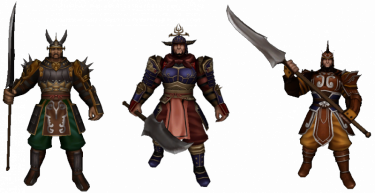
The Guardian can create guilds
Contents
General and setup
- Do you feel like you can manage a group of players while fighting together, have a fond friendship or perhaps share the same interests? Then you might just want to create a guild.
- You are eligible to create a guild if you are at least level 40 and have 200.000 Yang. You can then go to standing in each center town of map1. You have to come up with a guild name that is not already taken. Take note that the TOC and game rules also apply to choosing names of guilds.

- You cannot create a guild if you have left a previous guild in the first 3 days. (This also applies to players who want to join a (new) guild.)
- The first thing you might want to do is setting up additional permissions for other members. You can read all about that a little further down below.
- Once you have joined a guild, you can communicate with each other in the chatbar, by either pressing the 'normal' button to 'guild' or write % at the start of the sentence.
- You can open up the guild tab with ALT + G or open the community window ALT + M and select guild tab > guild information.
- If you are not in any guild yet, you will see a guild ranking list instead.
- You can also see guilds that are open for applications, marked with a check symbol. Guild leaders can setup an application by Guardian.
- Guild needs to be at least level 6, and have 100.000 Yang in the deposit. It will be visible after the next maintenance.
- If you wish to leave or disband the guild, you can talk to Guardian. You won't be able to join another guild for 3 days. You can also let a member, who has the permission, to kick you instead. You cannot kick a guild leader.
- It is possible to change the guild leader instead of deleting the guild. Go to the member list and select the "Change Guild Leader" button. You also need a

 Ring of Successor.
- It is possible to change the guild leader instead of deleting the guild. Go to the member list and select the "Change Guild Leader" button. You also need a
Guild Logo
|

|
 | |
Transparent Guild Logo
- It is possible to make parts of the logo transparent. This means, that some pixels can be seen through.
- Pixels to be transparent must be filled with pink (color code #FF00FF) and saved as .bmp format
- Tip: The default program on your computer (Paint) has the correct color pre-set in the color scheme above and can directly save it as .bmp
- Semi-transparent is also possible. However, this file must be saved as .tga format. This requires a different program to make adjustments to this type of file.
- How a transparent logo looks like ingame (on the left ingame, and the logo on the right - feel free to use it):


Leveling up


- A guild can be leveled up, up to a maximum of level 40.
- Open up the guild window and click on the donate button next to the current guild level.
- Guilds up to level 20, can use member's Experience. This will remove your own experience and coverts it to the guild. (see right)
- From guild level 20, you have to either use Yang or Donation Tickets, to a maximum of 3 times a day:
- 120.000 Yang (x3)
 Medium Donation Ticket (x3)
 Large Donation Ticket (x3)
- In exchange for each offering, you will receive the following (only guild level 20+):
- Medal of Bravery
- Guild EXP
- The following at random:
 Foundation Stone,
  Plywood or
  Trunk
Trunk
- The amount of each varies depending on the type of donation chosen (small/medium/large)
Benefits of leveling up
- At certain guild levels, you will unlock features.
- One was already mentioned above, at guild level 3 you are able to upload a guild logo.
- Below a list of each guild level, the required experience and unlocked features:
| Guild level | Required EXP | Max. members | Dragon God Power | Unlocked feature |
|---|---|---|---|---|
| 1 | 600.000 | 32 | 400 | |
| 2 | 1.800.000 | 34 | 500 | Able to declare war |
| 3 | 3.600.000 | 36 | 600 | Able to upload a guild logo Domain unlocked: Meley's Lair (Guild) |
| 4 | 6.400.000 | 38 | 700 | |
| 5 | 9.400.000 | 40 | 800 | +5% EXP to guild donations |
| 6 | 13.000.000 | 42 | 900 | |
| 7 | 17.200.000 | 44 | 1000 | |
| 8 | 22.000.000 | 46 | 1100 | |
| 9 | 27.400.000 | 48 | 1200 | |
| 10 | 33.400.000 | 50 | 1300 | Increased maximum member count |
| 11 | 40.000.000 | 52 | 1400 | |
| 12 | 60.000.000 | 54 | 1500 | |
| 13 | 84.000.000 | 56 | 1600 | |
| 14 | 112.000.000 | 58 | 1700 | |
| 15 | 144.000.000 | 60 | 1800 | Cost reduction to Dragon God Power |
| 16 | 180.000.000 | 62 | 1900 | |
| 17 | 260.000.000 | 64 | 2000 | |
| 18 | 320.000.000 | 66 | 2100 | |
| 19 | 400.000.000 | 68 | 2200 | |
| 20 | 4.500.000 | 72 | 2300 | Able to purchase Guild Land Tax exemption to Guild Bank |
| 21 | 4.725.000 | 74 | 2400 | Domain unlocked: Palace of the Dragon King (Akzadur) Domain unlocked: Balathor's Crypt |
| 22 | 4.950.000 | 76 | 2500 | |
| 23 | 5.175.000 | 78 | 2600 | |
| 24 | 5.400.000 | 80 | 2700 | Domain unlocked: Palace of the Dragon King (Nafaroth) |
| 25 | 5.625.000 | 82 | 2800 | |
| 26 | 5.850.000 | 84 | 2900 | |
| 27 | 6.075.000 | 86 | 3000 | Domain unlocked: Palace of the Dragon King (Exedyar) |
| 28 | 6.300.000 | 88 | 3100 | |
| 29 | 6.525.000 | 90 | 3200 | |
| 30 | 6.750.000 | 90 | 3300 | Domain unlocked: Palace of the Dragon King (Ruilith) |
| 31 | 6.975.000 | 90 | 3400 | |
| 32 | 7.200.000 | 90 | 3500 | |
| 33 | 7.425.000 | 90 | 3600 | |
| 34 | 7.650.000 | 90 | 3700 | |
| 35 | 7.875.000 | 90 | 3800 | Domain unlocked: Palace of the Dragon King (Tyolduran) |
| 36 | 8.100.000 | 90 | 3900 | |
| 37 | 8.325.000 | 90 | 4000 | |
| 38 | 8.550.000 | 90 | 4100 | |
| 39 | 8.775.000 | 90 | 4200 | |
| 40 | Maximum | 90 | 4300 |
Guild messages
Member list
Permissions

- You can set additional rights/permissions to members. Only the guild leader can make adjustments to this tab.
- You can give a group of members a role, almost like a hierarchy and select what they can or cannot do.
- New members automatically are given the 15th role.
- The guild leader has the 1st role by default and cannot be overruled.
- An explanation to what each role does from left to right:
- Invite: members with this role can invite other players to the guild (only 3 days after their previously left guild).
- Kick: members with this role can remove others members within the guild.
- Messages: members with this role can pin messages in the messages tab.
- Skills: members with this role can use guild skills.
- Combatant: members with this role can give or remove the combatant check of other members in the member list tab. Members with this check are able to join guild dungeons and accept/decline guild war declaration.
- Bank: members with this role can use the guild bank, as well as deposit and withdraw Yang or items within the bank and see the logs of the warehouse.
Guild War


- Guilds can declare war to each other. Only the guild leader can make such a call.
- The only requirement is both guilds must be at least level 2 and need to have at least 8 guild members of which 1 player is online that has the permission 'Combatant' enabled. Character level does not matter. Players with this check can also accept or decline guild war declarations.
- To declare a war, open the guild window and press the declare war button, located at the bottom right.
- Enter your opponent's guild name and choose the type of war. You can choose between 6 different war types.
- To join the war, a quest scroll will appear in 'Main Quests' where you can choose to teleport to the area.
- Field Battle
- You fight in the open world, this can be anywhere on the continent.
- You receive points for each kill you make towards the enemy guild. The amount of points is equal to the level of the defeated player.
- !! Take note that during this type of war, none of the guild members in war will obtain Experience, Yang or other item drop from Monsters !!
- Selectable options:
- 1, 3 or 5 rounds
- 10, 30 or 60 minutes
- Arena Battle
- You will be teleported to a different map: Arena
- Each kill you make will give you 1 point.
- Instant revive possible after defeat.
- Selectable options:
- 1, 3 or 5 rounds
- 30, 50 or 100 points
- 10, 30 or 60 minutes
- Capture the Flag
- You will be teleported to a different map: Flag
- You must capture the opponent's flag to your home.
- Once you have captured the flag, your movement speed is decreased to 50, cannot be increased.
- Killing opponents does not influence the points, but can be useful.
- When a flag is brought home, a round is over
- Selectable options:
- 1, 3 or 5 rounds
- 10, 30 or 60 minutes
- Annihilation
- You will be teleported to a different map: Annihilation
- Destroy the objects to obtain points.
- Selectable options:
- 1, 3 or 5 rounds
- 10, 30 or 60 minutes
- Time Attack
- You will be teleported to a different map: Time Attack
- Both guilds are separated.
- You must destroy the Hearth
- Selectable options:
- 1, 3 or 5 rounds
- Shield Battle
- You will be teleported to a different map: Shield Battle
- One must destroy the Hearth, while the other protects it.
- Selectable options:
- 1, 3 or 5 rounds
- 10, 30 or 60 minutes
Guild Skills
- You can use specific guild skills during a war or domain.
- Any member can use the skill, but the effect only works when they have the permission "Skills" checked. It will consume Dragon Ghost Power anyway in any case.
- Once used, all players within the guild and same map will receive the buff for a set amount of time period.
- A status icon will appear aswell in the upper left corner:


- Multiple skills can be used at the same time.
- Skill points can be obtained from leveling the guild, 1 point per level.
- The maximum level of each skill is level 7.
| Icon | Skill name | Bonus | Cooldown | Skill level | ||||||
|---|---|---|---|---|---|---|---|---|---|---|
| 1 | 2 | 3 | 4 | 5 | 6 | 7 | ||||

|
Blood of Dragon God | Max. HP | 600 | +2% | +5% | +8% | +12% | +14% | +17% | +20% |

|
Benediction of Dragon God | Max. SP | 600 | +2% | +5% | +8% | +12% | +14% | +17% | +20% |

|
Holy Armour | Defence | 480 | +1,4% | +2,9% | +4,3% | +5,7% | +7,1% | +8,5% | +10% |

|
Acceleration | Movement/Attack Speed | 480 | +4,3% | +8,6% | +12,9% | +17,2% | +21,5% | +25,7% | +30% |

|
Wrath of the Dragon God | Critical Hit | 480 | +7% | +14% | +21% | +28% | +35% | +42% | +50% |

|
Casting Aid | Casting Speed | 480 | +7% | +14% | +21% | +28% | +35% | +42% | +50% |
| Amount of Dragon God Power required for guild wars | 171 | 192 | 214 | 235 | 257 | 278 | 300 | |||

|
Balathor's Storm | Defence against faint/slowing | 600 | 4 sec. | 8 sec. | 12 sec. | 16 sec. | 20 sec. | 24 sec. | 30 sec. |

|
Balathor's Will | Defence against stun/shackle/freeze | 600 | 4 sec. | 8 sec. | 12 sec. | 16 sec. | 20 sec. | 24 sec. | 30 sec. |

|
Balathor's Resolve | Defence against knockback | 600 | 4 sec. | 8 sec. | 12 sec. | 16 sec. | 20 sec. | 24 sec. | 30 sec. |
| Amount of Dragon God Power required for Balathor skills | 342 | ? | ? | ? | ? | ? | ? | |||
- Balathor skills can be unlocked when the guild leader or a guild member with the combatant check reads
 Balathor's Skill Book.
 - Reading this book can fail, but when successful, 1 point will be given at random. To further upgrade the skill, you must use the regular skill points just like the common skills.
- Using guild skills consumes Dragon Ghost Power and can only be used when there is enough power left. To restore the power bar, go to the guild skill tab and select 'restore Dragon Ghost Power'. Each power costs 100 Yang. The Yang must already be present within the Guild Bank.
- Assigning guild skill points to a skill, you cannot reverse it that easily. Should you be dissatisfied, you can use
 Guild Contract to re-assign the guild skill points. The Balathor skills however, have to be re-read again.
 - Although the maximum guild skill level is 7, and the guild level 40, you cannot maximize all skills.
Guild Land
Acquiring land
- Guild land can be bought on maps with appropriate land, this can be:
- When map1 does not have available land, bidding takes place in guild map 1. And if that map is fully taken, it takes place in guild map2.
- Can only be bought by guild leaders.
- Has to be bought by auctions, that are being held regularly. This is announced in the chat 6 hours prior and every time you change maps.
- First, the guild leader has to be registered. Talk to the of the land that is being auctioned.

- Note: after registry, you cannot trade with players anymore until the bidding is over !!
- When the auction begins, you have one hour to place your bid. Bidding is done with Won only.
- The highest bid acquires the piece of land. In case of a tie, the first leader to place the bid gets the land.
- Players who did not succeed in getting a piece of land can get their wons back by .
- When you own a piece of land, you have to pay land tax.
- In kingdom maps, it costs 5.000.000 Yang per day.
- In Dong Gwang Plain, it costs 1 Won per day.
- You can delay paying to a maximum of 9 days. If you do not pay on the 10th day, you will loose the land. You will see a notice in the chat.
- You can pay by Guardian using Yang from the guild bank.
Building
- Go to your property and click on the Building button on the bottom right corner.
- Make sure you have enough Yang stored within the guild bank before building.
- You need additional materials for certain buildings/objects:
- There should be no players, monsters or objects staying on the spot you want to build.
Main building
Guild House
| Material | Costs | Note | Building |
|---|---|---|---|
 Yang Yang
|
20 Million |
|

|
| Foundation Stone
|
20x | ||
| Plywood
|
25x | ||
| Trunk
|
30x |
Blacksmith
| NPC | Material | Costs | Note | Building |
|---|---|---|---|---|

|
Yang
|
20 Million |
|

|
| Foundation Stone
|
20x | |||
| Plywood
|
20x | |||
| Trunk
|
30x |
Alchemist (kingdom)
| NPC | Material | Costs | Note | Building |
|---|---|---|---|---|

|
Yang
|
20 Million |
|

|
| Foundation Stone
|
15x | |||
| Plywood
|
25x | |||
| Trunk
|
20x |
Alchemist (yohara)
| NPC | Material | Costs | Note | Building |
|---|---|---|---|---|
|
|
Yang
|
1 Billion |
|
|
 Foundation Stone+ Foundation Stone+
|
20x | |||
 Plywood+ Plywood+
|
20x | |||
 Trunk+ Trunk+
|
30x |


Altar of Power
| NPC | Material | Costs | Note | Building |
|---|---|---|---|---|
| ||||
| Level 1 | ||||
| Yang
|
25 Million |
|

| |
| Foundation Stone
|
25x | |||
| Plywood
|
25x | |||
| Trunk
|
30x | |||
| Level 2 | ||||
| Yang
|
25 Million |
|

| |
| Foundation Stone
|
10x | |||
| Plywood
|
15x | |||
| Trunk
|
10x | |||
| Level 3 | ||||
| Yang
|
25 Million |
|

| |
| Foundation Stone
|
15x | |||
| Plywood
|
20x | |||
| Trunk
|
20x | |||
Guild Bank
| NPC | Material | Costs | Note | Building |
|---|---|---|---|---|

| ||||
| Level 1 | ||||
| Yang
|
20 Million |
|

| |
| Foundation Stone
|
25x | |||
| Plywood
|
25x | |||
| Trunk
|
25x | |||
| Level 2 | ||||
| Yang
|
25 Million |
| ||
| Foundation Stone
|
40x | |||
| Plywood
|
30x | |||
| Trunk
|
35x | |||
| Level 3 | ||||
| Yang
|
25 Million |
| ||
| Foundation Stone
|
50x | |||
| Plywood
|
40x | |||
| Trunk
|
45x | |||
Leather Stove
| NPC | Material | Costs | Note | Building |
|---|---|---|---|---|

|
Yang
|
1 Billion |
|

Leathersmith
| NPC | Material | Costs | Note | Building |
|---|---|---|---|---|
|
|
Yang
|
1 Billion |
|
|
| Foundation Stone+
|
40x | |||
| Plywood+
|
40x | |||
| Trunk+
|
60x | |||
 Runestone Runestone
|
1x |

Objects/Decoration
Guild Land Logo
| Material | Costs | Note | Building |
|---|---|---|---|
| Yang
|
3 Million |
|

|
| Plywood
|
5x | ||
| Trunk
|
5x |
Stones
| Material | Costs | Note | Building |
|---|---|---|---|
| Yang
|
300.000 |
|

|
| Foundation Stone
|
5~9x |
Trees
| Material | Costs | Note | Building |
|---|---|---|---|
| Yang
|
2 Million |
|

|
| Trunk
|
5~9x |
Guild Banners
| Material | Costs | Note | Building |
|---|---|---|---|
| Yang
|
1 Million |
|
.png) .png) .png)
|
 Anniversary Flag Anniversary Flag
|
1~5x |
Guild Dungeons
- As you level up the guild, you will be able to unlock dungeons that are exclusively reachable by guilds only.
- Keep in mind that members must have the permission 'Combatant' enabled in order to join guild dungeons.
- Meley's Lair (Guild) - from guild level 3
- Balathor's Crypt - from guild level 21
- Palace of the Dragon King (Akzadur) - from guild level 21
- Palace of the Dragon King (Nafaroth) - from guild level 24
- Palace of the Dragon King (Exedyar) - from guild level 27
- Palace of the Dragon King (Ruilith) - from guild level 30
- Palace of the Dragon King (Tyolduran) - from guild level 35
Other information
- At last, here you will find some details that have not yet been mentioned:
- When the guild leader has not been online for more than 100 days, a new guild leader will be automatically picked based upon the most active member who is level 40+.
- Players that perform upgrades on any guild land that is not theirs will pay 5 times more upgrade Yang than the regular blacksmith. 10% of that cost will be delivered to the guild leader every Tuesday. Guild members that perform the upgrade on their own guild land, will receive 10% discount instead.
- Guild leaders can always move or remove buildings/objects from their guild land, even changing Alchemists or Blacksmiths. This is not for free though.
- The maximum capacity of members in a guild from guild level 29 is 90, regardless of altar level. The capacity of prior levels can be increased, but to a maximum of 90 members.
- You are able to set your PvP mode to 'Guilds'. This way, you can attack anyone in your kingdom except your guild mates.
- The appearance of your horse changes depending if you are in a guild or not. Also being a guild leader gives its own appearance.
- It is a common thing for players below level 61 to make or join guilds to drop their excessive experience points to prevent them from leveling up instead of using a
 Ring of Secrets. A higher character levels means more experience points can be invested, and thus reaching guild level 20 too fast.
 - The total sum of experience points needed to guild level 20 is an astonishing 1.734.800.000. This is almost equal to the amount of the required experience points of a character level 97.
- A ranking list can be viewed from ingame or website. The highest guild level will be on top, followed by guild points.
- For each level up, you receive 1000 guild points.
- For each victory on a guild war, you receive ??? guild points while you loose ??? guild points by defeat.
- Players that are not part of the war, can watch the battle as a spectator. Talk to the to see ongoing wars. In this spectator state, you cannot interact with players. To end the spectator mode, click on the button located at the bottom right side.
- The Medal of Bravery that you get for donating to the guild above level 20, can be used to buy Elemental Scrolls at . You can also get Medal of Bravery by pressing the 'Attendance' button on the main guild window. With these scrolls, you can add an element to your weapon above grade +7. For more information, see the bonuses page.





_Interactive_Map.png)
_Interactive_Map.png)
_Interactive_Map.jpg)
_Interactive_Map.jpg)
_Interactive_Map.jpg)