Difference between revisions of "Guilds"
| [checked revision] | [checked revision] |
(→Guild Land) |
m (→Alchemist) |
||
| (125 intermediate revisions by 3 users not shown) | |||
| Line 1: | Line 1: | ||
{{subpage|[[Metin2Wiki:Portal|Metin2Wiki]]}} | {{subpage|[[Metin2Wiki:Portal|Metin2Wiki]]}} | ||
| − | [[File:Guardian.png|thumb|375px|The [[Guardian]] can create guilds | + | [[File:Guardian.png|thumb|375px|link=Guardian|The [[Guardian]] can create guilds]] |
__TOC__ | __TOC__ | ||
| − | === General === | + | === General and setup === |
| − | + | *Do you feel like you can manage a group of players while fighting together, have a fond friendship or perhaps share the same interests? Then you might just want to create a guild. | |
| + | *You are eligible to create a guild if you are at least level 40 and have 200.000 [[Yang]]. You can then go to {{Tm|Guardian}} standing in each center town of map1 and [[Dong Gwang Plain]]. You have to come up with a guild name that is not already taken. Take note that the TOC and game rules also apply to choosing names of guilds. | ||
| + | :*You cannot create a guild if you have left a previous guild in the first 7 days. (This also applies to players who want to join a (new) guild.) | ||
| + | *The first thing you might want to do is setting up additional [[Guilds#Permissions|permissions]] for other members. You can read all about that a little further down below. | ||
| + | *Once you have joined a guild, you can communicate with each other in the [[User Interface|chatbar]], by either pressing the 'normal' button to 'guild' or write '''%''' at the start of the sentence. | ||
| + | <br><br> | ||
| + | *You can open up the guild tab with ALT + G or open the [[User Interface|community window]] ALT + M and select guild tab > guild information. | ||
| + | :*If you are not in any guild yet, you will see a guild ranking list instead. | ||
| + | :*You can also see guilds that are open for applications, marked with a check symbol. Guild leaders can setup an application by Guardian. | ||
| + | ::*Guild needs to be at least level 6, and have 100.000 Yang in the deposit. It will be visible after the next maintenance. | ||
| + | <br><br> | ||
| + | *If you wish to leave or disband the guild, you can talk to Guardian. You won't be able to join another guild for 7 days. You can also let a member, who has the permission, to kick you instead. You cannot kick a guild leader. | ||
| + | :*It is possible to change the guild leader instead of deleting the guild. Go to the [[Guilds#Member list|member list]] and select the "Change Guild Leader" button. You also need a {{Ti|Ring of Successor}}. | ||
| + | <br><br> | ||
| − | + | ==== Guild Logo ==== | |
| + | {| | ||
| + | | | ||
| + | *The leader of a guild can upload a guild logo (also guild characters) once the guild reaches level 3 at least. It will then appear next to the guild name on your screen and it will be visible to other players. | ||
| + | *Open up the guild window and select the button to change the logo, located at the upper right corner. | ||
| + | *You can either use one of the preset 100 logo (shown right and below). | ||
| + | *You can also create your own logo. It must be sized 16x12 pixels with either format: '''.jpg / .gif / .bmp / .tga''' | ||
| + | :*Format '''.png''' cannot be used! | ||
| + | *Self-made logo files must be saved on your computer and located to where the default logo's are: | ||
| + | :*'''\Metin2\en-EN\upload''' | ||
| + | *Go to the upload section again and if necessary, click on refresh to let the game update the folder content. | ||
| + | | [[File:Guild Logo 1-20.png|link=]] | ||
| + | |- | ||
| + | |colspan=2| [[File:Guild Logo 21-100.png|center|link=]] | ||
| + | |} | ||
| + | <br><br> | ||
| + | |||
| + | ===== Transparent Guild Logo ===== | ||
| + | *It is possible to make parts of the logo transparent. This means, that some pixels can be seen through. | ||
| + | *Pixels to be transparent must be filled with pink (color code '''#FF00FF''') and saved as '''.bmp''' format | ||
| + | :*Tip: The default program on your computer (Paint) has the correct color pre-set in the color scheme above and can directly save it as .bmp | ||
| + | *Semi-transparent is also possible. However, this file must be saved as '''.tga''' format. This requires a different program to make adjustments to this type of file. | ||
| + | *How a transparent logo looks like ingame (on the left ingame, and the logo on the right - feel free to use it): | ||
| + | :::[[File:Guild Transparent Logo IG.png|link=]] [[File:Guild Transparent Logo.png]] | ||
| + | <br><br> | ||
| − | |||
{{top}} | {{top}} | ||
| − | === | + | ==== Leveling up ==== |
| − | + | [[File:Invest Experience.png|thumb|link=|Invest experience (to level 20)]] | |
| − | + | [[File:Invest Experience2.png|thumb|link=|Invest experience (from level 20)]] | |
| + | *A guild can be leveled up, up to a maximum of level 40. | ||
| + | *Open up the guild window and click on the donate button next to the current guild level. | ||
| + | *Guilds up to level 20, can use member's [[Experience]]. This will remove your own experience and coverts it to the guild. (see right) | ||
| + | *From guild level 20, you have to either use [[Yang]] or [[Donation Ticket|Donation Tickets]], to a maximum of 3 times a day: | ||
| + | :*120.000 Yang (x3) | ||
| + | :*{{Ti|Medium Donation Ticket}} (x3) | ||
| + | :*{{Ti|Large Donation Ticket}} (x3) | ||
| + | *In exchange for each offering, you will receive the following (only guild level 20+): | ||
| + | :*[[Medal of Bravery]] | ||
| + | :*Guild EXP | ||
| + | :*The following at random: {{Ti|Foundation Stone}}, {{Ti|Plywood}} or {{Ti|Trunk}} | ||
| + | *The amount of each varies depending on the type of donation chosen (small/medium/large) | ||
| + | *If the guild has reached level 20, you can remove your EXP. You have to pay Yang equal to 10% of the EXP points you want to remove. Champion EXP cannot be removed; only regular EXP can be removed. The required Yang does not have to be in your guild treasury. | ||
| + | <br> | ||
| + | |||
| + | ===== Benefits of leveling up ===== | ||
| + | *At certain guild levels, you will unlock features. | ||
| + | *One was already mentioned above, at guild level 3 you are able to upload a guild logo. | ||
| + | *Below a list of each guild level, the required experience and unlocked features: | ||
| + | {| {{Prettytable}} | ||
| + | |- {{Hl3}} | ||
| + | ! Guild level | ||
| + | ! Required EXP | ||
| + | ! Max. members | ||
| + | ! Dragon God Power | ||
| + | ! Unlocked feature | ||
| + | |- align=center | ||
| + | | 1 | ||
| + | | 600.000 | ||
| + | | 32 | ||
| + | | 400 | ||
| + | | | ||
| + | |- align=center | ||
| + | | 2 | ||
| + | | 1.800.000 | ||
| + | | 34 | ||
| + | | 500 | ||
| + | | Able to [[Guilds#Guild War|declare war]] | ||
| + | |- align=center | ||
| + | | 3 | ||
| + | | 3.600.000 | ||
| + | | 36 | ||
| + | | 600 | ||
| + | | Able to upload a [[Guilds#Guild Logo|guild logo]] <br> Domain unlocked: [[Meley's Lair (Guild)]] | ||
| + | |- align=center | ||
| + | | 4 | ||
| + | | 6.400.000 | ||
| + | | 38 | ||
| + | | 700 | ||
| + | | | ||
| + | |- align=center | ||
| + | | 5 | ||
| + | | 9.400.000 | ||
| + | | 40 | ||
| + | | 800 | ||
| + | | +5% EXP to guild donations | ||
| + | |- align=center | ||
| + | | 6 | ||
| + | | 13.000.000 | ||
| + | | 42 | ||
| + | | 900 | ||
| + | | | ||
| + | |- align=center | ||
| + | | 7 | ||
| + | | 17.200.000 | ||
| + | | 44 | ||
| + | | 1000 | ||
| + | | | ||
| + | |- align=center | ||
| + | | 8 | ||
| + | | 22.000.000 | ||
| + | | 46 | ||
| + | | 1100 | ||
| + | | | ||
| + | |- align=center | ||
| + | | 9 | ||
| + | | 27.400.000 | ||
| + | | 48 | ||
| + | | 1200 | ||
| + | | | ||
| + | |- align=center | ||
| + | | 10 | ||
| + | | 33.400.000 | ||
| + | | 50 | ||
| + | | 1300 | ||
| + | | Increased maximum member count <br> Able to purchase [[Guilds#Guild Land|Guild Land]] | ||
| + | |- align=center | ||
| + | | 11 | ||
| + | | 40.000.000 | ||
| + | | 52 | ||
| + | | 1400 | ||
| + | | | ||
| + | |- align=center | ||
| + | | 12 | ||
| + | | 60.000.000 | ||
| + | | 54 | ||
| + | | 1500 | ||
| + | | | ||
| + | |- align=center | ||
| + | | 13 | ||
| + | | 84.000.000 | ||
| + | | 56 | ||
| + | | 1600 | ||
| + | | | ||
| + | |- align=center | ||
| + | | 14 | ||
| + | | 112.000.000 | ||
| + | | 58 | ||
| + | | 1700 | ||
| + | | | ||
| + | |- align=center | ||
| + | | 15 | ||
| + | | 144.000.000 | ||
| + | | 60 | ||
| + | | 1800 | ||
| + | | Cost reduction to [[Guilds#Guild Skills|Dragon God Power]] | ||
| + | |- align=center | ||
| + | | 16 | ||
| + | | 180.000.000 | ||
| + | | 62 | ||
| + | | 1900 | ||
| + | | | ||
| + | |- align=center | ||
| + | | 17 | ||
| + | | 260.000.000 | ||
| + | | 64 | ||
| + | | 2000 | ||
| + | | | ||
| + | |- align=center | ||
| + | | 18 | ||
| + | | 320.000.000 | ||
| + | | 66 | ||
| + | | 2100 | ||
| + | | | ||
| + | |- align=center | ||
| + | | 19 | ||
| + | | 400.000.000 | ||
| + | | 68 | ||
| + | | 2200 | ||
| + | | | ||
| + | |- align=center | ||
| + | | 20 | ||
| + | | 4.500.000 | ||
| + | | 72 | ||
| + | | 2300 | ||
| + | | Tax exemption to [[Guilds#Guild Bank|Guild Bank]] | ||
| + | |- align=center | ||
| + | | 21 | ||
| + | | 4.725.000 | ||
| + | | 74 | ||
| + | | 2400 | ||
| + | | Domain unlocked: [[Palace of the Dragon King (Akzadur)]] <br> Domain unlocked: [[Balathor's Crypt]] <br> [[Medal Keeper]]'s shop can be opened from UI | ||
| + | |- align=center | ||
| + | | 22 | ||
| + | | 4.950.000 | ||
| + | | 76 | ||
| + | | 2500 | ||
| + | | | ||
| + | |- align=center | ||
| + | | 23 | ||
| + | | 5.175.000 | ||
| + | | 78 | ||
| + | | 2600 | ||
| + | | | ||
| + | |- align=center | ||
| + | | 24 | ||
| + | | 5.400.000 | ||
| + | | 80 | ||
| + | | 2700 | ||
| + | | Domain unlocked: [[Palace of the Dragon King (Nafaroth)]] | ||
| + | |- align=center | ||
| + | | 25 | ||
| + | | 5.625.000 | ||
| + | | 82 | ||
| + | | 2800 | ||
| + | | +10% EXP for buildings | ||
| + | |- align=center | ||
| + | | 26 | ||
| + | | 5.850.000 | ||
| + | | 84 | ||
| + | | 2900 | ||
| + | | | ||
| + | |- align=center | ||
| + | | 27 | ||
| + | | 6.075.000 | ||
| + | | 86 | ||
| + | | 3000 | ||
| + | | Domain unlocked: [[Palace of the Dragon King (Exedyar)]] | ||
| + | |- align=center | ||
| + | | 28 | ||
| + | | 6.300.000 | ||
| + | | 88 | ||
| + | | 3100 | ||
| + | | | ||
| + | |- align=center | ||
| + | | 29 | ||
| + | | 6.525.000 | ||
| + | | 90 | ||
| + | | 3200 | ||
| + | | | ||
| + | |- align=center | ||
| + | | 30 | ||
| + | | 6.750.000 | ||
| + | | 90 | ||
| + | | 3300 | ||
| + | | Domain unlocked: [[Palace of the Dragon King (Ruilith)]] <br> 10% discount to lease | ||
| + | |- align=center | ||
| + | | 31 | ||
| + | | 6.975.000 | ||
| + | | 90 | ||
| + | | 3400 | ||
| + | | | ||
| + | |- align=center | ||
| + | | 32 | ||
| + | | 7.200.000 | ||
| + | | 90 | ||
| + | | 3500 | ||
| + | | | ||
| + | |- align=center | ||
| + | | 33 | ||
| + | | 7.425.000 | ||
| + | | 90 | ||
| + | | 3600 | ||
| + | | | ||
| + | |- align=center | ||
| + | | 34 | ||
| + | | 7.650.000 | ||
| + | | 90 | ||
| + | | 3700 | ||
| + | | | ||
| + | |- align=center | ||
| + | | 35 | ||
| + | | 7.875.000 | ||
| + | | 90 | ||
| + | | 3800 | ||
| + | | Domain unlocked: [[Palace of the Dragon King (Tyolduran)]] <br> 15% discount to lease | ||
| + | |- align=center | ||
| + | | 36 | ||
| + | | 8.100.000 | ||
| + | | 90 | ||
| + | | 3900 | ||
| + | | | ||
| + | |- align=center | ||
| + | | 37 | ||
| + | | 8.325.000 | ||
| + | | 90 | ||
| + | | 4000 | ||
| + | | | ||
| + | |- align=center | ||
| + | | 38 | ||
| + | | 8.550.000 | ||
| + | | 90 | ||
| + | | 4100 | ||
| + | | | ||
| + | |- align=center | ||
| + | | 39 | ||
| + | | 8.775.000 | ||
| + | | 90 | ||
| + | | 4200 | ||
| + | | | ||
| + | |- align=center | ||
| + | | 40 | ||
| + | | Maximum | ||
| + | | 90 | ||
| + | | 4300 | ||
| + | | 20% discount to lease | ||
| + | |- align=center | ||
| + | |} | ||
| + | <br><br> | ||
| − | |||
| − | |||
| − | |||
| − | |||
| − | |||
| − | |||
| − | |||
| − | |||
| − | |||
| − | |||
| − | |||
| − | |||
| − | |||
| − | |||
| − | |||
| − | |||
| − | |||
| − | |||
| − | |||
| − | |||
| − | |||
| − | |||
| − | |||
| − | |||
| − | |||
| − | |||
| − | |||
| − | |||
| − | |||
| − | |||
| − | |||
| − | |||
| − | |||
| − | |||
| − | |||
| − | |||
| − | |||
| − | |||
| − | |||
| − | |||
| − | |||
| − | |||
| − | |||
| − | |||
| − | |||
| − | |||
| − | |||
| − | |||
| − | |||
| − | |||
| − | |||
| − | |||
| − | |||
| − | |||
| − | |||
| − | |||
| − | |||
| − | |||
| − | |||
| − | |||
| − | |||
| − | |||
| − | |||
| − | |||
| − | |||
| − | |||
| − | |||
| − | |||
| − | |||
| − | |||
| − | |||
| − | |||
| − | |||
| − | |||
| − | |||
| − | |||
| − | |||
| − | |||
| − | |||
| − | |||
| − | |||
| − | |||
| − | |||
| − | |||
| − | |||
| − | |||
| − | |||
| − | |||
| − | |||
| − | |||
| − | |||
| − | |||
| − | |||
| − | |||
| − | |||
| − | |||
| − | |||
| − | |||
| − | |||
| − | |||
| − | |||
| − | |||
| − | |||
| − | |||
| − | |||
| − | |||
| − | |||
| − | |||
| − | |||
| − | |||
| − | |||
| − | |||
| − | |||
| − | |||
{{top}} | {{top}} | ||
| − | === | + | ==== Guild messages ==== |
| − | |||
| − | |||
| − | |||
| − | + | ==== Member list ==== | |
| − | |||
| − | *''' | + | ==== Permissions ==== |
| − | : | + | [[File:Guild UI Permissions.png|thumb|link=|Permissions tab UI]] |
| + | *You can set additional rights/permissions to members. Only the guild leader can make adjustments to this tab. | ||
| + | *You can give a group of members a role, almost like a hierarchy and select what they can or cannot do. | ||
| + | *New members automatically are given the 15th role. | ||
| + | *The guild leader has the 1st role by default and cannot be overruled. | ||
| + | *An explanation to what each role does from left to right: | ||
| + | :*'''Invite:''' members with this role can invite other players to the guild (only 3 days after their previously left guild). | ||
| + | :*'''Kick:''' members with this role can remove others members within the guild. | ||
| + | :*'''Messages:''' members with this role can pin messages in the [[Guilds#Guild messages|messages]] tab. | ||
| + | :*'''Skills:''' members with this role can use [[Guilds#Guild Skills|guild skills]]. | ||
| + | :*'''Combatant:''' members with this role can give or remove the combatant check of other members in the [[Guilds#Member list|member list]] tab. Members with this check are able to join [[Guilds#Guild Dungeons|guild dungeons]] and accept/decline [[Guilds#Guild War|guild war]] declaration. | ||
| + | :*'''Bank:''' members with this role can use the [[Guilds#Guild Bank|guild bank]], as well as deposit and withdraw Yang or items within the bank and see the logs of the warehouse. | ||
| + | <br><br> | ||
| − | |||
| − | |||
| − | |||
| − | |||
| − | |||
| − | |||
{{top}} | {{top}} | ||
=== Guild War === | === Guild War === | ||
| − | + | [[File:Guild War Area (Arena) Interactive Map.png|link=Guild War Area (Arena)|thumb|125px|[[Guild War Area (Arena)|Arena]]]] | |
| − | [[ | + | [[File:Guild War Area (Flag) Interactive Map.png|link=Guild War Area (Flag)|thumb|125px|[[Guild War Area (Flag)|Flag]]]] |
| − | + | [[File:Guild War Area (Annihilation) Interactive Map.jpg|link=Guild War Area (Annihilation)|thumb|125px|[[Guild War Area (Annihilation)|Annihilation]]]] | |
| + | [[File:Guild War Area (Time Attack) Interactive Map.jpg|link=Guild War Area (Time Attack)|thumb|125px|[[Guild War Area (Time Attack)|Time Attack]]]] | ||
| + | [[File:Guild War Area (Shield Battle) Interactive Map.jpg|link=Guild War Area (Shield Battle)|thumb|125px|align="left"|[[Guild War Area (Shield Battle)|Shield Battle]]]] | ||
| + | *Guilds can declare war to each other. Only the guild leader can make such a call. | ||
| + | *The only requirement is both guilds must be at least level 2 and need to have at least 8 guild members of which 1 player is online that has the [[Guilds#Permissions|permission]] 'Combatant' enabled. Character level does not matter. Players with this check can also accept or decline guild war declarations. | ||
| + | *To declare a war, open the guild window and press the declare war button, located at the bottom right. | ||
| + | *Enter your opponent's guild name and choose the type of war. You can choose between 6 different war types. | ||
| + | *To join the war, a quest scroll will appear in 'Main Quests' where you can choose to teleport to the area. | ||
| + | <br> | ||
| + | :*'''Field Battle''' | ||
| + | ::*You fight in the open world, this can be anywhere on the continent. | ||
| + | ::*You receive points for each kill you make towards the enemy guild. The amount of points is equal to the level of the defeated player. | ||
| + | ::*'''!! Take note that during this type of war, none of the guild members in war will obtain [[Experience]], [[Yang]] or other [[Items|item]] drop from [[Monsters]] !!''' | ||
| + | ::*Selectable options: | ||
| + | :::*1, 3 or 5 rounds | ||
| + | :::*10, 30 or 60 minutes | ||
| − | *''' | + | :*'''Arena Battle''' |
| − | : | + | ::*You will be teleported to a different map: [[Guild War Area (Arena)|Arena]] |
| − | : | + | ::*Each kill you make will give you 1 point. |
| − | : | + | ::*Instant revive possible after defeat. |
| + | ::*Selectable options: | ||
| + | :::*1, 3 or 5 rounds | ||
| + | :::*30, 50 or 100 points | ||
| + | :::*10, 30 or 60 minutes | ||
| − | *''' | + | :*'''Capture the Flag''' |
| − | : | + | ::*You will be teleported to a different map: [[Guild War Area (Flag)|Flag]] |
| − | : | + | ::*You must capture the opponent's flag to your home. |
| + | ::*Once you have captured the flag, your movement speed is decreased to 50, cannot be increased. | ||
| + | ::*Killing opponents does not influence the points, but can be useful. | ||
| + | ::*When a flag is brought home, a round is over | ||
| + | ::*Selectable options: | ||
| + | :::*1, 3 or 5 rounds | ||
| + | :::*10, 30 or 60 minutes | ||
| − | *''' | + | :*'''Annihilation''' |
| − | : | + | ::*You will be teleported to a different map: [[Guild War Area (Annihilation)|Annihilation]] |
| − | : | + | ::*Destroy the objects to obtain points. |
| − | + | ::*Selectable options: | |
| + | :::*1, 3 or 5 rounds | ||
| + | :::*10, 30 or 60 minutes | ||
| − | + | :*'''Time Attack''' | |
| − | + | ::*You will be teleported to a different map: [[Guild War Area (Time Attack)|Time Attack]] | |
| − | + | ::*Both guilds are separated. | |
| − | + | ::*You must destroy the [[Hearth]] | |
| − | + | ::*Selectable options: | |
| + | :::*1, 3 or 5 rounds | ||
| − | + | :*'''Shield Battle''' | |
| − | + | ::*You will be teleported to a different map: [[Guild War Area (Shield Battle)|Shield Battle]] | |
| − | + | ::*One must destroy the [[Hearth]], while the other protects it. | |
| − | + | ::*Selectable options: | |
| − | + | :::*1, 3 or 5 rounds | |
| − | + | :::*10, 30 or 60 minutes | |
| − | + | <br> | |
| − | |||
| − | |||
| − | |||
| − | |||
| − | |||
| − | |||
| − | |||
| − | |||
| − | |||
| − | |||
| − | |||
| − | |||
| − | |||
| − | |||
| − | |||
| − | |||
| − | |||
| − | |||
| − | |||
| − | |||
| − | |||
| − | |||
| − | |||
| − | |||
| − | |||
| − | |||
| − | |||
| − | |||
| − | |||
| − | |||
| − | |||
| − | |||
| − | |||
| − | |||
| − | |||
| − | |||
| − | |||
| − | |||
| − | |||
| − | |||
| − | |||
| − | |||
| − | |||
| − | |||
| − | |||
| − | |||
| − | |||
| − | |||
| − | |||
| − | |||
| − | |||
| − | |||
| − | |||
| − | |||
| − | |||
| − | |||
| − | |||
| − | |||
| − | |||
| − | |||
| − | |||
| − | |||
| − | |||
| − | |||
| − | |||
| − | |||
| − | |||
| − | |||
| − | |||
| − | |||
| − | |||
| − | |||
| − | |||
| − | |||
| − | |||
| − | |||
| − | |||
| − | |||
| − | |||
| − | |||
| − | |||
| − | |||
| − | |||
| − | |||
| − | |||
| − | |||
| − | |||
| − | |||
| − | |||
| − | |||
| − | |||
| − | |||
| − | |||
| − | |||
| − | |||
| − | |||
| − | |||
| − | |||
| − | |||
| − | |||
| − | |||
| − | |||
| − | |||
| − | |||
| − | |||
| − | |||
| − | |||
| − | |||
| − | === Guild Skills === | + | ==== Guild Skills ==== |
| − | + | *You can use specific guild skills during a war or domain. | |
| − | + | *Any member can use the skill, but the effect only works when they have the [[Guilds#Permissions|permission]] "Skills" checked. It will consume Dragon Ghost Power anyway in any case. | |
| − | + | *Once used, all players within the guild and same map will receive the buff for a set amount of time period. | |
| − | + | *A [[Status Icons|status icon]] will appear aswell in the upper left corner: [[File:Blood of Dragon God Status Icon.png|25px|link=Status Icons]][[File:Benediction of Dragon God Status Icon.png|25px|link=Status Icons]][[File:Holy Armour Status Icon.png|25px|link=Status Icons]][[File:Acceleration Status Icon.png|25px|link=Status Icons]][[File:Wrath of the Dragon God Status Icon.png|25px|link=Status Icons]][[File:Casting Aid Status Icon.png|25px|link=Status Icons]][[File:Balathor's Storm Status Icon.png|25px|link=Status Icons]][[File:Balathor's Will Status Icon.png|25px|link=Status Icons]][[File:Balathor's Resolve Status Icon.png|25px|link=Status Icons]] | |
| − | ==== | + | *Multiple skills can be used at the same time. |
| − | + | *Skill points can be obtained from leveling the guild, 1 point per level. | |
| + | *The maximum level of each skill is level 7. | ||
| + | <br> | ||
| − | {| {{Prettytable | + | {| {{Prettytable}} |
|- {{Hl3}} | |- {{Hl3}} | ||
| − | !rowspan= | + | !rowspan=2| Icon |
| − | !rowspan= | + | !rowspan=2| Skill name |
| − | !colspan= | + | !rowspan=2| Bonus |
| + | !rowspan=2| Cooldown | ||
| + | !colspan=10| Skill level | ||
|- | |- | ||
| − | ! | + | ! 1 |
| − | ! | + | ! 2 |
| − | ! | + | ! 3 |
| − | ! | + | ! 4 |
| − | ! | + | ! 5 |
| − | ! | + | ! 6 |
| − | ! | + | ! 7 |
| − | |- | + | ! 8 |
| − | + | ! 9 | |
| − | | | + | ! 10 |
| + | |- | ||
| + | | [[File:Blood Of Dragon God.png|link=]] | ||
| + | | Blood of Dragon God | ||
| + | | Max. HP | ||
| + | | 600 | ||
| +2% | | +2% | ||
| +5% | | +5% | ||
| Line 322: | Line 444: | ||
| +20% | | +20% | ||
|- | |- | ||
| − | + | | [[File:Benediction Of Dragon God.png|link=]] | |
| − | | | + | | Benediction of Dragon God |
| + | | Max. SP | ||
| + | | 600 | ||
| +2% | | +2% | ||
| +5% | | +5% | ||
| Line 332: | Line 456: | ||
| +20% | | +20% | ||
|- | |- | ||
| − | + | | [[File:Holy Armour.png|link=]] | |
| − | | | + | | Holy Armour |
| + | | Defence | ||
| + | | 480 | ||
| +1,4% | | +1,4% | ||
| +2,9% | | +2,9% | ||
| Line 342: | Line 468: | ||
| +10% | | +10% | ||
|- | |- | ||
| − | + | | [[File:Acceleration.png|link=]] | |
| − | | | + | | Acceleration |
| + | | Movement/Attack Speed | ||
| + | | 480 | ||
| +4,3% | | +4,3% | ||
| +8,6% | | +8,6% | ||
| Line 352: | Line 480: | ||
| +30% | | +30% | ||
|- | |- | ||
| − | + | | [[File:Rage Of Dragon God.png|link=]] | |
| − | | | + | | Wrath of the Dragon God |
| + | | Critical Hit | ||
| + | | 480 | ||
| +7% | | +7% | ||
| +14% | | +14% | ||
| Line 362: | Line 492: | ||
| +50% | | +50% | ||
|- | |- | ||
| − | + | | [[File:Casting Aid.png|link=]] | |
| − | | | + | | Casting Aid |
| + | | Casting Speed | ||
| + | | 480 | ||
| +7% | | +7% | ||
| +14% | | +14% | ||
| Line 372: | Line 504: | ||
| +50% | | +50% | ||
|- | |- | ||
| − | |align= | + | |colspan=4 align=center| Amount of Dragon God Power required for guild wars |
| − | |171 | + | | 171 |
| − | |192 | + | | 192 |
| − | |214 | + | | 214 |
| − | |235 | + | | 235 |
| − | |257 | + | | 257 |
| − | |278 | + | | 278 |
| − | |300 | + | | 300 |
| + | |- | ||
| + | | [[File:Balathor's Storm.png|link=]] | ||
| + | | Balathor's Storm | ||
| + | | Defence against faint/slowing | ||
| + | | 600 | ||
| + | | 4 sec. | ||
| + | | 8 sec. | ||
| + | | 12 sec. | ||
| + | | 16 sec. | ||
| + | | 20 sec. | ||
| + | | 24 sec. | ||
| + | | 30 sec. | ||
| + | | ? | ||
| + | | ? | ||
| + | | ? | ||
| + | |- | ||
| + | | [[File:Balathor's Will.png|link=]] | ||
| + | | Balathor's Will | ||
| + | | Defence against stun/shackle/freeze | ||
| + | | 600 | ||
| + | | 4 sec. | ||
| + | | 8 sec. | ||
| + | | 12 sec. | ||
| + | | 16 sec. | ||
| + | | 20 sec. | ||
| + | | 24 sec. | ||
| + | | 30 sec. | ||
| + | | ? | ||
| + | | ? | ||
| + | | ? | ||
| + | |- | ||
| + | | [[File:Balathor's Resolve.png|link=]] | ||
| + | | Balathor's Resolve | ||
| + | | Defence against knockback | ||
| + | | 600 | ||
| + | | 4 sec. | ||
| + | | 8 sec. | ||
| + | | 12 sec. | ||
| + | | 16 sec. | ||
| + | | 20 sec. | ||
| + | | 24 sec. | ||
| + | | 30 sec. | ||
| + | | ? | ||
| + | | ? | ||
| + | | ? | ||
| + | |- | ||
| + | |colspan=4 align=center| Amount of Dragon God Power required for Balathor skills | ||
| + | | 342 | ||
| + | | ? | ||
| + | | ? | ||
| + | | ? | ||
| + | | ? | ||
| + | | ? | ||
| + | | ? | ||
| + | | ? | ||
| + | | ? | ||
| + | | ? | ||
| + | |- | ||
|} | |} | ||
| − | + | <br> | |
| − | + | ||
| − | + | *Balathor skills can be unlocked when the guild leader or a guild member with the combatant check reads {{Ti|Balathor's Skill Book}}. | |
| + | *Reading this book can fail, but when successful, 1 point will be given at random. To further upgrade the skill, you must use the regular skill points just like the common skills. | ||
| + | *Using guild skills consumes Dragon Ghost Power and can only be used when there is enough power left. To restore the power bar, go to the guild skill tab and select 'restore Dragon Ghost Power'. Each power costs 100 [[Yang]]. The Yang must already be present within the Guild Treasury. | ||
| + | *Assigning guild skill points to a skill, you cannot reverse it that easily. Should you be dissatisfied, you can use {{Ti|Guild Contract}} to re-assign the guild skill points. The Balathor skills however, have to be re-read again. | ||
| + | |||
| + | <br><br> | ||
{{top}} | {{top}} | ||
| − | === | + | === Guild Land === |
| − | <!--[[ | + | ==== Acquiring land ==== |
| + | *Guild land can be bought on maps with appropriate land, this can be: | ||
| + | :*[[Joan]], [[Waryong]], [[Songpa]], [[Pyungmoo]], [[Imha]], [[Daeyami]], [[Yongan]], [[Jungrang]], [[Miryang]] and [[Dong Gwang Plain]]. | ||
| + | *Can only be bought by guild leaders whose guild level is higher than 10 for the old continent and guild level 21+ for new continent | ||
| + | *Requires 400.000 [[Yang]] for all maps except Dong Gwang Plain, that costs 1.000.000.000 Yang. The Yang has to be in the guild treasury. Go to a [[Land Agent]] that has not been taken yet. | ||
| + | <br> | ||
| + | |||
| + | *When you own a piece of land, you have to pay land lease. | ||
| + | :*In kingdom maps, it costs 5.000.000 Yang per day. | ||
| + | :*In [[Dong Gwang Plain]], it costs 100.000.000 Yang per day. | ||
| + | *When guild land is acquired, you have 10 days to pay the lease, otherwise the land will be removed. | ||
| + | *You can pay by [[Guardian]] using Yang from the guild treasury. | ||
| + | *It is possible to pay lease in advance up to 30 days, also possible by Guardian. | ||
| + | *If you want to volunteer remove your piece of land, click on the 'Abandon Guild Territory' button in the guild UI > Territory Information. | ||
| + | <br> | ||
| + | |||
| + | ==== Building ==== | ||
| + | *Go to your property and click on the Building button on the bottom right corner. | ||
| + | *Make sure you have enough Yang stored within the guild treasury before building. | ||
| + | *You need additional materials for certain buildings/objects: | ||
| + | :*{{Ti|Foundation Stone}} | ||
| + | :*{{Ti|Plywood}} | ||
| + | :*{{Ti|Trunk}} | ||
| + | :*{{Ti|Foundation Stone+}} | ||
| + | :*{{Ti|Plywood+}} | ||
| + | :*{{Ti|Trunk+}} | ||
| + | :*{{Ti|Runestone}} | ||
| + | *There should be no players, monsters or objects staying on the spot you want to build. | ||
| + | <br><br> | ||
| + | |||
| + | *Certain buildings can be upgraded to a higher level. Open the guild UI and go to territory information tab. Hit the + button of the building you want to upgrade to open up the upgrade window. | ||
| + | *You have the option to either give 2500 or 5000 EXP to the building. You require {{Ti|Building EXP Ticket}} or {{Ti|Special EXP Ticket}} respectively. You can make 3 donations per day. | ||
| + | *There is a possibility to receive a tradeable {{Ti|Shrine Ticket}}. These can be used to one of the Shrine Masters. | ||
| + | *There are restrictions as to upgrading building levels: | ||
| + | :*Guild level 10-20: building level 1 | ||
| + | :*Guild level 21-30: building level 2 | ||
| + | :*Guild level 31-40: building level 3 | ||
| + | <br> | ||
| + | |||
| + | ===== Main building ===== | ||
| + | ====== House ====== | ||
| + | {| {{Prettytable}} | ||
| + | |- {{Hl3}} | ||
| + | ! Material | ||
| + | ! Costs | ||
| + | ! Note | ||
| + | ! Building | ||
| + | |- | ||
| + | ! valign="top" style="border:1px solid; border-color:{{TableBorderColor}}; background:{{Tablecolor}}; color:{{Tablecolor/Font}};" colspan=2| Old continent | ||
| + | | rowspan=10| | ||
| + | :*Must be build first in order to build other objects/decorations | ||
| + | :*Available in 3 different colours | ||
| + | | rowspan=10| [[File:Guild House1-3.png|325px]] | ||
| + | |- | ||
| + | | {{Ti|Yang}} | ||
| + | | 20 Million | ||
| + | |- | ||
| + | | {{Ti|Foundation Stone}} | ||
| + | | 20x | ||
| + | |- | ||
| + | | {{Ti|Trunk}} | ||
| + | | 30x | ||
| + | |- | ||
| + | | {{Ti|Plywood}} | ||
| + | | 25x | ||
| + | |- | ||
| + | ! valign="top" style="border:1px solid; border-color:{{TableBorderColor}}; background:{{Tablecolor}}; color:{{Tablecolor/Font}};" colspan=2| New continent | ||
| + | |- | ||
| + | | {{Ti|Yang}} | ||
| + | | ??? | ||
| + | |- | ||
| + | | {{Ti|Foundation Stone+}} | ||
| + | | ??? | ||
| + | |- | ||
| + | | {{Ti|Trunk+}} | ||
| + | | ??? | ||
| + | |- | ||
| + | | {{Ti|Plywood+}} | ||
| + | | ??? | ||
| + | |- | ||
| + | |} | ||
| + | |||
| + | ===== Outbuilding ===== | ||
| + | ====== Blacksmith ====== | ||
| + | {| {{Prettytable}} | ||
| + | |- {{Hl3}} | ||
| + | ! NPC | ||
| + | ! colspan=3| Info | ||
| + | ! Building | ||
| + | |- | ||
| + | | rowspan=17| [[File:Blacksmith.png|link=Guild Blacksmith|150px]] | ||
| + | |- | ||
| + | | colspan=3| | ||
| + | :*Available in 4 different {{Tm|Guild Blacksmith|Blacksmiths}}: | ||
| + | ::*Armoursmith (armours, shields and helmets) | ||
| + | ::*Weaponsmith (weapons) | ||
| + | ::*Jeweller (shoes, bracelets, earrings, necklaces and talismans) | ||
| + | ::*Special Armoursmith (gloves and belts) | ||
| + | :*Each Blacksmith is specialized in its own kind of items, similar as to [[Demon Tower Blacksmith]] | ||
| + | :*Guild leaders can change the Blacksmith for another type for 5.000.000 Yang by interacting to him | ||
| + | :*Level can be increased by donating EXP in the guild territory UI | ||
| + | :*Guild leaders can tweak with the upgrade Yang price of items between 100% (default price) up to 500% as well as setting up permissions who can use the Blacksmith (guild members only or all players) | ||
| + | | rowspan=16| [[File:Blacksmith Building.png|150px]] | ||
| + | |- {{Hl3}} | ||
| + | ! colspan=3| Level 1 | ||
| + | |- {{Hl3}} | ||
| + | ! Material | ||
| + | ! Costs | ||
| + | ! Note | ||
| + | |- | ||
| + | ! valign="top" style="border:1px solid; border-color:{{TableBorderColor}}; background:{{Tablecolor}}; color:{{Tablecolor/Font}};" colspan=2| Old continent | ||
| + | | rowspan=10| | ||
| + | :*Provides 10% more success chance when upgrading | ||
| + | :*Provides 30% discount in upgrade Yang costs for own guild members | ||
| + | |- | ||
| + | | {{Ti|Yang}} | ||
| + | | 20 Million | ||
| + | |- | ||
| + | | {{Ti|Foundation Stone}} | ||
| + | | 20x | ||
| + | |- | ||
| + | | {{Ti|Trunk}} | ||
| + | | 30x | ||
| + | |- | ||
| + | | {{Ti|Plywood}} | ||
| + | | 20x | ||
| + | |- | ||
| + | ! valign="top" style="border:1px solid; border-color:{{TableBorderColor}}; background:{{Tablecolor}}; color:{{Tablecolor/Font}};" colspan=2| New continent | ||
| + | |- | ||
| + | | {{Ti|Yang}} | ||
| + | | ??? | ||
| + | |- | ||
| + | | {{Ti|Foundation Stone+}} | ||
| + | | ??? | ||
| + | |- | ||
| + | | {{Ti|Trunk+}} | ||
| + | | ??? | ||
| + | |- | ||
| + | | {{Ti|Plywood+}} | ||
| + | | ??? | ||
| + | |- {{Hl3}} | ||
| + | ! colspan=3| Level 2 | ||
| + | |- {{Hl3}} | ||
| + | ! colspan=2| Requires | ||
| + | ! Note | ||
| + | |- | ||
| + | | colspan=2| | ||
| + | :*Guild level 21+ | ||
| + | :*1.500.000 Building EXP | ||
| + | | | ||
| + | :*Currently unknown what benefits it offers | ||
| + | |- | ||
| + | |} | ||
| + | |||
| + | ===== Refinement Buildings ===== | ||
| + | ====== Alchemist ====== | ||
| + | {| {{Prettytable}} | ||
| + | |- {{Hl3}} | ||
| + | ! NPC | ||
| + | ! colspan=3| Info | ||
| + | ! Building | ||
| + | |- | ||
| + | | rowspan=22| [[File:Alchemist (Energy System).png|link=Alchemist (Guilds)|150px]] | ||
| + | | colspan=3| | ||
| + | :*Can be used to [[Mining#Refining ores|refine ores]] | ||
| + | :*Guild leaders can change the {{Tm|Alchemist (Energy System)|Alchemist}} for another type for 3.000.000 Yang by interacting to him | ||
| + | :*Level can be increased by donating EXP in the guild territory UI | ||
| + | :*Guild leaders can tweak with the refinement Yang price of ores between 100% (default price) up to 500% as well as setting up permissions who can use the Alchemist (guild members only or all players) | ||
| + | | rowspan=21| [[File:Guild Smelter.png|150px]] | ||
| + | |- | ||
| + | ! valign="top" style="border:1px solid; border-color:{{TableBorderColor}}; background:{{Tablecolor}}; color:{{Tablecolor/Font}};" colspan=2| Old continent (info) | ||
| + | ! valign="top" style="border:1px solid; border-color:{{TableBorderColor}}; background:{{Tablecolor}}; color:{{Tablecolor/Font}};"| New continent (info) | ||
| + | |- | ||
| + | | colspan=2| | ||
| + | :*Available in 18 different Alchemists | ||
| + | :*Each Alchemist is specialized in its own kind of ore, but you can refine all kind of ores by any Alchemist | ||
| + | :*Provides 30% success chance by default and 60% when you perform the refinement on the specialist Alchemist | ||
| + | :*Bring a {{Ti|Spirit Powder}}, 100x ore and 200.000 Yang to make a refinement | ||
| + | | | ||
| + | :*Available in 5 different Alchemists | ||
| + | :*Each Alchemist is specialized in its own kind of ore | ||
| + | :*Provides 30% success chance | ||
| + | :*Bring a {{Ti|Spirit Powder}}, 100x ore and 1.000.000 Yang to make a refinement | ||
| + | :*In case the Moonshine Smelter (Cobalt) is built, the {{Tm|Moonsmith Aeris}} will also appear alongside the Alchemist. All players that are in a guild who possess a guild land are able to purchase {{Ti|Moonlight Gemstone}} for 200.000.000 Yang (once per 24 hours) | ||
| + | |- {{Hl3}} | ||
| + | ! colspan=3| Level 1 | ||
| + | |- {{Hl3}} | ||
| + | ! width=130px| Material | ||
| + | ! Costs | ||
| + | ! Note | ||
| + | |- | ||
| + | ! valign="top" style="border:1px solid; border-color:{{TableBorderColor}}; background:{{Tablecolor}}; color:{{Tablecolor/Font}};" colspan=2| Old continent | ||
| + | | rowspan=10| | ||
| + | :*Provides 30% discount in refinement Yang costs for own guild members | ||
| + | |- | ||
| + | | {{Ti|Yang}} | ||
| + | | 20 Million | ||
| + | |- | ||
| + | | {{Ti|Foundation Stone}} | ||
| + | | 15x | ||
| + | |- | ||
| + | | {{Ti|Trunk}} | ||
| + | | 20x | ||
| + | |- | ||
| + | | {{Ti|Plywood}} | ||
| + | | 25x | ||
| + | |- | ||
| + | ! valign="top" style="border:1px solid; border-color:{{TableBorderColor}}; background:{{Tablecolor}}; color:{{Tablecolor/Font}};" colspan=2| New continent | ||
| + | |- | ||
| + | | {{Ti|Yang}} | ||
| + | | 1 Billion | ||
| + | |- | ||
| + | | {{Ti|Foundation Stone+}} | ||
| + | | 20x | ||
| + | |- | ||
| + | | {{Ti|Trunk+}} | ||
| + | | 30x | ||
| + | |- | ||
| + | | {{Ti|Plywood+}} | ||
| + | | 20x | ||
| + | |- {{Hl3}} | ||
| + | ! colspan=3| Level 2 | ||
| + | |- {{Hl3}} | ||
| + | ! colspan=2| Requires | ||
| + | ! Note | ||
| + | |- | ||
| + | | colspan=2| | ||
| + | :*Guild level 21+ | ||
| + | :*1.500.000 Building EXP | ||
| + | | | ||
| + | :*Provides 40% success chance in the new continent instead | ||
| + | |- {{Hl3}} | ||
| + | ! colspan=3| Level 3 | ||
| + | |- {{Hl3}} | ||
| + | ! colspan=2| Requires | ||
| + | ! Note | ||
| + | |- | ||
| + | | colspan=2| | ||
| + | :*Guild level 31+ | ||
| + | :*??? Building EXP | ||
| + | | | ||
| + | :*Currently unknown what benefits it offers | ||
| + | |- | ||
| + | |} | ||
| + | |||
| + | ===== Shrines ===== | ||
| + | ====== Summoning Shrine ====== | ||
| + | {| {{Prettytable}} | ||
| + | |- {{Hl3}} | ||
| + | ! NPC | ||
| + | ! Material | ||
| + | ! Costs | ||
| + | ! Note | ||
| + | ! Building | ||
| + | |- | ||
| + | | rowspan=4| [[File:Summoning Master.png|link=Summoning Master|150px]] | ||
| + | | {{Ti|Yang}} | ||
| + | | 1 Billion | ||
| + | | rowspan=4| | ||
| + | *''Introduced in version 26.0. More infomation later'' | ||
| + | | rowspan=4| [[File:Guild Terrain Shrine.png|150px]] | ||
| + | |- | ||
| + | | {{Ti|Foundation Stone}} | ||
| + | | 200x | ||
| + | |- | ||
| + | | {{Ti|Trunk}} | ||
| + | | 200x | ||
| + | |- | ||
| + | | {{Ti|Plywood}} | ||
| + | | 200x | ||
| + | |- | ||
| + | |} | ||
| + | |||
| + | ====== Blessing Shrine ====== | ||
| + | {| {{Prettytable}} | ||
| + | |- {{Hl3}} | ||
| + | ! NPC | ||
| + | ! colspan=3| Info | ||
| + | ! Building | ||
| + | |- | ||
| + | | rowspan=19| [[File:Blessing Master.png|link=Blessing Master|150px]] | ||
| + | | colspan=3| | ||
| + | :*Can be used to receive a temporary buff for a set amount of time | ||
| + | :*Requires a {{Ti|Shrine Ticket}} to open the bonus dialog. Then press the reroll button by paying a sum of Yang | ||
| + | :*You can reroll as many times you want until you are satisfied with the displayed buff by paying the required amount of Yang | ||
| + | :*When you accept the buff, the Shrine Ticket will be taken and a [[Status Icons|Status Icon]] [[File:Shrine of Blessing Status Icon.png|link=Status Icons]] will display. The buff only runs when you are online. | ||
| + | :*Guild leaders can change the Shrine Master for another type for 500.000.000 Yang by interacting to him | ||
| + | :*Level can be increased by donating EXP in the guild territory UI | ||
| + | :*Guild leaders can tweak with the reroll Yang price of buffs between 100% (default price) up to 500% as well as setting up permissions who can use the {{Tm|Blessing Master}} (guild members only or all players) | ||
| + | | rowspan=19| [[File:Guild Terrain Shrine.png|150px]] | ||
| + | |- {{Hl3}} | ||
| + | ! colspan=3| Level 1 | ||
| + | |- {{Hl3}} | ||
| + | ! Material | ||
| + | ! Costs | ||
| + | ! Note | ||
| + | |- | ||
| + | ! valign="top" style="border:1px solid; border-color:{{TableBorderColor}}; background:{{Tablecolor}}; color:{{Tablecolor/Font}};" colspan=2| Old continent | ||
| + | | rowspan=5| | ||
| + | :*Reroll costs: 1.000.000 Yang | ||
| + | :*Possible buffs in the old continent (1 buff with a duration of 1, 2 or 3 hours): | ||
| + | ::*Chance of Critical +3% | ||
| + | ::*Chance of Piercing +3% | ||
| + | ::*EXP +5% | ||
| + | ::*Max HP +500 | ||
| + | ::*HP Regeneration +3% | ||
| + | ::*Attack speed +3% | ||
| + | ::*Movement speed +3% | ||
| + | |- | ||
| + | | {{Ti|Yang}} | ||
| + | | 1 Billion | ||
| + | |- | ||
| + | | {{Ti|Foundation Stone}} | ||
| + | | 200x | ||
| + | |- | ||
| + | | {{Ti|Trunk}} | ||
| + | | 200x | ||
| + | |- | ||
| + | | {{Ti|Plywood}} | ||
| + | | 200x | ||
| + | |- | ||
| + | ! valign="top" style="border:1px solid; border-color:{{TableBorderColor}}; background:{{Tablecolor}}; color:{{Tablecolor/Font}};" colspan=2| New continent | ||
| + | | rowspan=5| | ||
| + | :*Reroll costs: 1.000.000 Yang | ||
| + | :*Possible buffs in the new continent (1 buff with a duration of 1, 2 or 3 hours): | ||
| + | ::*Chance of Critical +3/5% | ||
| + | ::*Chance of Piercing +3/5% | ||
| + | ::*EXP +5/10% | ||
| + | ::*HP Regeneration +3/5% | ||
| + | ::*Attack speed +3/5% | ||
| + | ::*Movement speed +3/5% | ||
| + | ::*Precision +10 | ||
| + | ::*Block penetration +5% | ||
| + | ::*Max. HP +3% | ||
| + | ::*Sung Ma's will (RES) +10 | ||
| + | |- | ||
| + | | {{Ti|Yang}} | ||
| + | | 2 Billion | ||
| + | |- | ||
| + | | {{Ti|Foundation Stone+}} | ||
| + | | 200x | ||
| + | |- | ||
| + | | {{Ti|Trunk+}} | ||
| + | | 200x | ||
| + | |- | ||
| + | | {{Ti|Plywood+}} | ||
| + | | 200x | ||
| + | |- {{Hl3}} | ||
| + | ! colspan=3| Level 2 | ||
| + | |- {{Hl3}} | ||
| + | ! colspan=2| Requires | ||
| + | ! Note | ||
| + | |- | ||
| + | | colspan=2| | ||
| + | :*Guild level 21+ | ||
| + | :*1.500.000 Building EXP | ||
| + | | | ||
| + | :*Reroll costs: 3.300.000 Yang | ||
| + | :*Possible buffs in the new continent (2 buffs with a duration of 4, 5 or 6 hours): | ||
| + | ::*Chance of Critical +7% | ||
| + | ::*Chance of Piercing +7% | ||
| + | ::*Attack speed +7% | ||
| + | ::*Movement speed +7% | ||
| + | ::*Precision +15 | ||
| + | ::*Block penetration +7% | ||
| + | ::*Max. HP +5% | ||
| + | ::*Sung Ma's will (RES) +15 | ||
| + | ::*Chance to block close-combat attack +5% | ||
| + | ::*Chance to avoid arrows +5% | ||
| + | ::*Strong against Half Humans +7% | ||
| + | |||
| + | ::*''List is incomplete; more values possible'' | ||
| + | |- {{Hl3}} | ||
| + | ! colspan=3| Level 3 | ||
| + | |- {{Hl3}} | ||
| + | ! colspan=2| Requires | ||
| + | ! Note | ||
| + | |- | ||
| + | | colspan=2| | ||
| + | :*Guild level 31+ | ||
| + | :*4.000.000 Building EXP | ||
| + | | | ||
| + | :*Currently unknown what benefits it offers | ||
| + | |} | ||
| + | |||
| + | ===== Altar of Power ===== | ||
| + | {| {{Prettytable}} | ||
| + | |- {{Hl3}} | ||
| + | ! NPC | ||
| + | ! colspan=4| Info | ||
| + | |- | ||
| + | | rowspan=19| [[File:Stable Boy.png|link=Altar Guard|150px]] | ||
| + | | colspan=4| | ||
| + | :*Each level increases the max member count within the guild | ||
| + | :*The maximum amount of members allowed in the guild is 90, regardless of guild or Altar level | ||
| + | :*Interact with the {{Tm|Altar Guard}} to increase the level | ||
| + | |- {{Hl3}} | ||
| + | ! colspan=4| Level 1 | ||
| + | |- {{Hl3}} | ||
| + | ! Material | ||
| + | ! Costs | ||
| + | ! Note | ||
| + | ! Building | ||
| + | |- | ||
| + | | {{Ti|Yang}} | ||
| + | | 25 Million | ||
| + | | rowspan=4| | ||
| + | :*Max member count increased with 8 | ||
| + | | rowspan=4| [[File:Altar of Power.png|150px]] | ||
| + | |- | ||
| + | | {{Ti|Foundation Stone}} | ||
| + | | 25x | ||
| + | |- | ||
| + | | {{Ti|Trunk}} | ||
| + | | 25x | ||
| + | |- | ||
| + | | {{Ti|Plywood}} | ||
| + | | 25x | ||
| + | |- {{Hl3}} | ||
| + | ! colspan=4| Level 2 | ||
| + | |- {{Hl3}} | ||
| + | ! Material | ||
| + | ! Costs | ||
| + | ! Note | ||
| + | ! Building | ||
| + | |- | ||
| + | | {{Ti|Yang}} | ||
| + | | 25 Million | ||
| + | | rowspan=4| | ||
| + | :*Max member count increased with 6 | ||
| + | | rowspan=4| [[File:Altar of Power 1.png|150px]] | ||
| + | |- | ||
| + | | {{Ti|Foundation Stone}} | ||
| + | | 10x | ||
| + | |- | ||
| + | | {{Ti|Trunk}} | ||
| + | | 10x | ||
| + | |- | ||
| + | | {{Ti|Plywood}} | ||
| + | | 15x | ||
| + | |- {{Hl3}} | ||
| + | ! colspan=4| Level 3 | ||
| + | |- {{Hl3}} | ||
| + | ! Material | ||
| + | ! Costs | ||
| + | ! Note | ||
| + | ! Building | ||
| + | |- | ||
| + | | {{Ti|Yang}} | ||
| + | | 25 Million | ||
| + | | rowspan=4| | ||
| + | :*Max member count increased with 6 | ||
| + | | rowspan=4| [[File:Altar of Power 2.png|150px]] | ||
| + | |- | ||
| + | | {{Ti|Foundation Stone}} | ||
| + | | 15x | ||
| + | |- | ||
| + | | {{Ti|Trunk}} | ||
| + | | 20x | ||
| + | |- | ||
| + | | {{Ti|Plywood}} | ||
| + | | 20x | ||
| + | |- | ||
| + | |} | ||
| + | |||
| + | ===== Guild Warehouse ===== | ||
| + | {| {{Prettytable}} | ||
| + | |- {{Hl3}} | ||
| + | ! NPC | ||
| + | ! colspan=4| Info | ||
| + | |- | ||
| + | | rowspan=19| [[File:Guild Manager.png|link=Guild Manager|150px]] | ||
| + | | colspan=4| | ||
| + | :*Each level increases the max storage count within the guild warehouse | ||
| + | :*Only items that are storeable can be put inside, similar as to [[Storekeeper]] | ||
| + | :*Only members with the guild treasury/warehouse check permission are allowed to use the warehouse | ||
| + | :*It doesn't require a password. However, any item that is put in or taken out is logged that can be viewed by members with the same check | ||
| + | :*Interact with the {{Tm|Guild Manager}} to increase the level | ||
| + | |- {{Hl3}} | ||
| + | ! colspan=4| Level 1 | ||
| + | |- {{Hl3}} | ||
| + | ! Material | ||
| + | ! Costs | ||
| + | ! Note | ||
| + | ! Building | ||
| + | |- | ||
| + | | {{Ti|Yang}} | ||
| + | | 25 Million | ||
| + | | rowspan=4| | ||
| + | :*Increase guild warehouse with 40 slots | ||
| + | | rowspan=4 align=center| ''No image available'' | ||
| + | |- | ||
| + | | {{Ti|Foundation Stone}} | ||
| + | | 25x | ||
| + | |- | ||
| + | | {{Ti|Trunk}} | ||
| + | | 25x | ||
| + | |- | ||
| + | | {{Ti|Plywood}} | ||
| + | | 25x | ||
| + | |- {{Hl3}} | ||
| + | ! colspan=4| Level 2 | ||
| + | |- {{Hl3}} | ||
| + | ! Material | ||
| + | ! Costs | ||
| + | ! Note | ||
| + | ! Building | ||
| + | |- | ||
| + | | {{Ti|Yang}} | ||
| + | | 25 Million | ||
| + | | rowspan=4| | ||
| + | :*Increase guild warehouse with 40 slots | ||
| + | | rowspan=4 align=center| ''No image available'' | ||
| + | |- | ||
| + | | {{Ti|Foundation Stone}} | ||
| + | | 10x | ||
| + | |- | ||
| + | | {{Ti|Trunk}} | ||
| + | | 10x | ||
| + | |- | ||
| + | | {{Ti|Plywood}} | ||
| + | | 15x | ||
| + | |- {{Hl3}} | ||
| + | ! colspan=4| Level 3 | ||
| + | |- {{Hl3}} | ||
| + | ! Material | ||
| + | ! Costs | ||
| + | ! Note | ||
| + | ! Building | ||
| + | |- | ||
| + | | {{Ti|Yang}} | ||
| + | | 50 Million | ||
| + | | rowspan=4| | ||
| + | :*Increase guild warehouse with 40 slots | ||
| + | | rowspan=4| [[File:Guild Bank 2.png|150px|center]] | ||
| + | |- | ||
| + | | {{Ti|Foundation Stone}} | ||
| + | | 50x | ||
| + | |- | ||
| + | | {{Ti|Trunk}} | ||
| + | | 45x | ||
| + | |- | ||
| + | | {{Ti|Plywood}} | ||
| + | | 40x | ||
| + | |- | ||
| + | |} | ||
| + | |||
| + | ===== Leather Stove ===== | ||
| + | {| {{Prettytable}} | ||
| + | |- {{Hl3}} | ||
| + | ! NPC | ||
| + | ! Material | ||
| + | ! Costs | ||
| + | ! Note | ||
| + | ! Building | ||
| + | |- | ||
| + | | [[File:Inscriber.png|link=Inscriber|150px]] | ||
| + | | {{Ti|Yang}} | ||
| + | | 1 Billion | ||
| + | | | ||
| + | :*This property can only be build in the Yohara region | ||
| + | :*You can buy {{Ti|Runestone}} from {{Tm|Inscriber}} for 100.000.000 Yang. This purchase can only be done once | ||
| + | :*If you want more Runestones, you have to delete and rebuild this building | ||
| + | <br> | ||
| + | :*<big><u>'''Ongoing bug:'''</u></big> If the property was not manually destroyed before the lease expires and you decide to buy guild land again and rebuild this stove, you will '''not''' be able to purchase the Runestone. To fix this, you must destroy and rebuild the property again. The 1 billion Yang loss can be refunded by creating a ticket in the support center. | ||
| + | | [[File:Blacksmith Building.png|150px]] | ||
| + | |- | ||
| + | |} | ||
| + | |||
| + | ===== Leathersmith ===== | ||
| + | {| {{Prettytable}} | ||
| + | |- {{Hl3}} | ||
| + | ! NPC | ||
| + | ! Material | ||
| + | ! Costs | ||
| + | ! Note | ||
| + | ! Building | ||
| + | |- | ||
| + | | rowspan=5| [[File:Blacksmith.png|150px|link=Leathersmith]] | ||
| + | | {{Ti|Yang}} | ||
| + | | 1 Billion | ||
| + | | rowspan=5| | ||
| + | :*The {{Tm|Leathersmith}} increases the chance of producing [[Gloves]] by 5% (in comparison of [[Master Chi]]) | ||
| + | :*This property can only be build in the Yohara region | ||
| + | | rowspan=5| [[File:Blacksmith Building.png|150px]] | ||
| + | |- | ||
| + | | {{Ti|Foundation Stone+}} | ||
| + | | 40x | ||
| + | |- | ||
| + | | {{Ti|Plywood+}} | ||
| + | | 40x | ||
| + | |- | ||
| + | | {{Ti|Trunk+}} | ||
| + | | 60x | ||
| + | |- | ||
| + | | {{Ti|Runestone}} | ||
| + | | 1x | ||
| + | |} | ||
| + | <br> | ||
| + | |||
| + | ===== Objects/Decoration ===== | ||
| + | ====== Guild Land Logo ====== | ||
| + | {| {{Prettytable}} | ||
| + | |- {{Hl3}} | ||
| + | ! Material | ||
| + | ! Costs | ||
| + | ! Note | ||
| + | ! Building | ||
| + | |- | ||
| + | | {{Ti|Yang}} | ||
| + | | 3 Million | ||
| + | | rowspan=3| | ||
| + | :*This logo can be placed for decoration purposes | ||
| + | | rowspan=3| [[File:Guild Land Logo.png|100px]] | ||
| + | |- | ||
| + | | {{Ti|Trunk}} | ||
| + | | 5x | ||
| + | |- | ||
| + | | {{Ti|Plywood}} | ||
| + | | 5x | ||
| + | |- | ||
| + | |} | ||
| + | |||
| + | ====== Stones ====== | ||
| + | {| {{Prettytable}} | ||
| + | |- {{Hl3}} | ||
| + | ! Material | ||
| + | ! Costs | ||
| + | ! Note | ||
| + | ! Building | ||
| + | |- | ||
| + | | {{Ti|Yang}} | ||
| + | | 300.000 | ||
| + | | rowspan=2| | ||
| + | :*These stones can be placed for decoration purposes | ||
| + | | rowspan=2| [[File:Guild Land Stones.png|400px]] | ||
| + | |- | ||
| + | | {{Ti|Foundation Stone}} | ||
| + | | 5~9x | ||
| + | |- | ||
| + | |} | ||
| + | |||
| + | ====== Trees ====== | ||
| + | {| {{Prettytable}} | ||
| + | |- {{Hl3}} | ||
| + | ! Material | ||
| + | ! Costs | ||
| + | ! Note | ||
| + | ! Building | ||
| + | |- | ||
| + | | {{Ti|Yang}} | ||
| + | | 2 Million | ||
| + | | rowspan=2| | ||
| + | :*These trees can be placed for decoration purposes | ||
| + | | rowspan=2| [[File:Guild Land Trees.png|400px]] | ||
| + | |- | ||
| + | | {{Ti|Trunk}} | ||
| + | | 5~9x | ||
| + | |- | ||
| + | |} | ||
| + | |||
| + | ====== Guild Banners ====== | ||
| + | {| {{Prettytable}} | ||
| + | |- {{Hl3}} | ||
| + | ! Material | ||
| + | ! Costs | ||
| + | ! Note | ||
| + | ! Building | ||
| + | |- | ||
| + | | {{Ti|Yang}} | ||
| + | | 1 Million | ||
| + | | rowspan=2| | ||
| + | :*These banners can be placed for decoration purposes | ||
| + | | rowspan=2| [[File:Guild Banner (Purple).png|50px]][[File:Guild Banner (Blue-Gr.).png|60px]][[File:Guild Banner (Red-Gold).png|50px]] | ||
| + | |- | ||
| + | | {{Ti|Anniversary Flag}} | ||
| + | | 1~5x | ||
| + | |- | ||
| + | |} | ||
| + | <br><br> | ||
| − | |||
| − | |||
| − | |||
| − | |||
| − | |||
| − | |||
| − | |||
| − | |||
{{top}} | {{top}} | ||
| − | === | + | === Guild Dungeons === |
| − | + | *As you [[Guilds#Leveling up|level up]] the guild, you will be able to unlock dungeons that are exclusively reachable by guilds only. | |
| − | * | + | *Keep in mind that members must have the [[Guilds#Permissions|permission]] 'Combatant' enabled in order to join guild dungeons. |
| − | * | + | :*[[Meley's Lair (Guild)]] - from guild level 3 |
| − | * | + | :*[[Balathor's Crypt]] - from guild level 21 |
| − | * | + | :*[[Palace of the Dragon King (Akzadur)]] - from guild level 21 |
| − | * | + | :*[[Palace of the Dragon King (Nafaroth)]] - from guild level 24 |
| − | * | + | :*[[Palace of the Dragon King (Exedyar)]] - from guild level 27 |
| − | *'' | + | :*[[Palace of the Dragon King (Ruilith)]] - from guild level 30 |
| − | + | :*[[Palace of the Dragon King (Tyolduran)]] - from guild level 35 | |
| + | |||
| + | |||
| + | === Other information === | ||
| + | *At last, here you will find some details that have not yet been mentioned: | ||
| + | :*When the guild leader has not been online for more than 100 days, a new guild leader will be automatically picked based upon the most active member who is level 40+. | ||
| + | :*Players that perform upgrades or refinements on any guild land that is not theirs will pay the exact same price just like the regular blacksmith. If you are in a foreign kingdom, you will pay 3x the price. Players who use their own land will receive 30% discount instead. Keep in mind that guild leaders can change the price themselves by [[Guardian]]. The success percentage is equal for every player. | ||
| + | :*Guild leaders can always move or remove buildings/objects from their guild land, even changing Alchemists or Blacksmiths. This requires 1.000.000 Yang per move. | ||
| + | :*When a player is making refinements or activating a buff on a guild land, 10% of the Yang costs is instantly deposited to the guild treasury on whose guild the NPC belongs to. This is also the case for guild members that perform purchases on their own land. | ||
| + | :*When guilds do not pay their lease will result in guild land loss and thus the land can be bought again by everyone. The progress made from the previous guild will be saved. The building level of NPC's for example; should the guild who lost or abandoned their land rebuild it again, all progress will remain once the building is set up. This kind of progress can only be lost if the guild is deleted. | ||
| + | :*The maximum capacity of members in a guild from guild level 29 is 90, regardless of altar level. The capacity of prior levels can be increased, but to a maximum of 90 members. | ||
| + | :*You are able to set your PvP mode to 'Guilds'. This way, you can attack anyone in your kingdom except your guild mates. | ||
| + | :*The appearance of your [[Horse|horse]] changes depending if you are in a guild or not. Also being a guild leader gives its own appearance. | ||
| + | :*The total sum of experience points needed to guild level 20 is an astonishing 1.734.800.000. This is almost equal to the amount of the required [[Experience|experience points]] of a character level 97. | ||
| + | :*A ranking list can be viewed from ingame or website. The highest guild level will be on top, followed by guild points. | ||
| + | :*For each level up, you receive 1000 guild points. | ||
| + | :*For each victory on a guild war, you receive ??? guild points while you loose ??? guild points by defeat. | ||
| + | :*Players that are not part of the war, can watch the battle as a spectator. Talk to the {{Tm|Battle Bailiff}} to see ongoing wars. In this spectator state, you cannot interact with players. To end the spectator mode, click on the button located at the bottom right side. | ||
| + | :*The [[Medal of Bravery]] that you get for donating to the guild above level 20, can be used to buy items from {{Tm|Medal Keeper}}. You can also get Medal of Bravery by pressing the 'Attendance' button on the main guild window (available after you joined the guild for at least 24 hours). The [[Elemental Scrolls]] from Medal Keeper can be used to add an element to a weapon of +7 or higher. For more information, see the [[Bonuses#Elemental damage on weapons|bonuses]] page. The shop window of Medal Keeper is also unlocked in the guild UI from guild level 21. | ||
| + | |||
{{top}} | {{top}} | ||
| + | |||
| + | [[Category:Infos]] | ||
[[de:Gilde]] | [[de:Gilde]] | ||
| − | [[fr: | + | [[fr:Guilde]] |
| − | [[it: | + | [[hu:Céhek]] |
| + | [[it:Gilda]] | ||
[[pl:Gildia]] | [[pl:Gildia]] | ||
| + | [[ro:Bresle]] | ||
Latest revision as of 09:50, 7 June 2026
< Metin2Wiki < Guilds
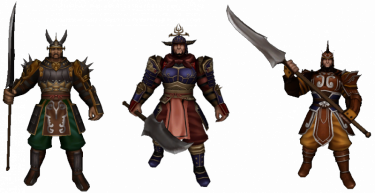
The Guardian can create guilds
Contents
General and setup
- Do you feel like you can manage a group of players while fighting together, have a fond friendship or perhaps share the same interests? Then you might just want to create a guild.
- You are eligible to create a guild if you are at least level 40 and have 200.000 Yang. You can then go to standing in each center town of map1 and Dong Gwang Plain. You have to come up with a guild name that is not already taken. Take note that the TOC and game rules also apply to choosing names of guilds.

- You cannot create a guild if you have left a previous guild in the first 7 days. (This also applies to players who want to join a (new) guild.)
- The first thing you might want to do is setting up additional permissions for other members. You can read all about that a little further down below.
- Once you have joined a guild, you can communicate with each other in the chatbar, by either pressing the 'normal' button to 'guild' or write % at the start of the sentence.
- You can open up the guild tab with ALT + G or open the community window ALT + M and select guild tab > guild information.
- If you are not in any guild yet, you will see a guild ranking list instead.
- You can also see guilds that are open for applications, marked with a check symbol. Guild leaders can setup an application by Guardian.
- Guild needs to be at least level 6, and have 100.000 Yang in the deposit. It will be visible after the next maintenance.
- If you wish to leave or disband the guild, you can talk to Guardian. You won't be able to join another guild for 7 days. You can also let a member, who has the permission, to kick you instead. You cannot kick a guild leader.
- It is possible to change the guild leader instead of deleting the guild. Go to the member list and select the "Change Guild Leader" button. You also need a

 Ring of Successor.
- It is possible to change the guild leader instead of deleting the guild. Go to the member list and select the "Change Guild Leader" button. You also need a
Guild Logo
|

|
 | |
Transparent Guild Logo
- It is possible to make parts of the logo transparent. This means, that some pixels can be seen through.
- Pixels to be transparent must be filled with pink (color code #FF00FF) and saved as .bmp format
- Tip: The default program on your computer (Paint) has the correct color pre-set in the color scheme above and can directly save it as .bmp
- Semi-transparent is also possible. However, this file must be saved as .tga format. This requires a different program to make adjustments to this type of file.
- How a transparent logo looks like ingame (on the left ingame, and the logo on the right - feel free to use it):


Leveling up


- A guild can be leveled up, up to a maximum of level 40.
- Open up the guild window and click on the donate button next to the current guild level.
- Guilds up to level 20, can use member's Experience. This will remove your own experience and coverts it to the guild. (see right)
- From guild level 20, you have to either use Yang or Donation Tickets, to a maximum of 3 times a day:
- 120.000 Yang (x3)
 Medium Donation Ticket (x3)
 Large Donation Ticket (x3)
- In exchange for each offering, you will receive the following (only guild level 20+):
- Medal of Bravery
- Guild EXP
- The following at random:
 Foundation Stone,
  Plywood or
  Trunk
Trunk
- The amount of each varies depending on the type of donation chosen (small/medium/large)
- If the guild has reached level 20, you can remove your EXP. You have to pay Yang equal to 10% of the EXP points you want to remove. Champion EXP cannot be removed; only regular EXP can be removed. The required Yang does not have to be in your guild treasury.
Benefits of leveling up
- At certain guild levels, you will unlock features.
- One was already mentioned above, at guild level 3 you are able to upload a guild logo.
- Below a list of each guild level, the required experience and unlocked features:
| Guild level | Required EXP | Max. members | Dragon God Power | Unlocked feature |
|---|---|---|---|---|
| 1 | 600.000 | 32 | 400 | |
| 2 | 1.800.000 | 34 | 500 | Able to declare war |
| 3 | 3.600.000 | 36 | 600 | Able to upload a guild logo Domain unlocked: Meley's Lair (Guild) |
| 4 | 6.400.000 | 38 | 700 | |
| 5 | 9.400.000 | 40 | 800 | +5% EXP to guild donations |
| 6 | 13.000.000 | 42 | 900 | |
| 7 | 17.200.000 | 44 | 1000 | |
| 8 | 22.000.000 | 46 | 1100 | |
| 9 | 27.400.000 | 48 | 1200 | |
| 10 | 33.400.000 | 50 | 1300 | Increased maximum member count Able to purchase Guild Land |
| 11 | 40.000.000 | 52 | 1400 | |
| 12 | 60.000.000 | 54 | 1500 | |
| 13 | 84.000.000 | 56 | 1600 | |
| 14 | 112.000.000 | 58 | 1700 | |
| 15 | 144.000.000 | 60 | 1800 | Cost reduction to Dragon God Power |
| 16 | 180.000.000 | 62 | 1900 | |
| 17 | 260.000.000 | 64 | 2000 | |
| 18 | 320.000.000 | 66 | 2100 | |
| 19 | 400.000.000 | 68 | 2200 | |
| 20 | 4.500.000 | 72 | 2300 | Tax exemption to Guild Bank |
| 21 | 4.725.000 | 74 | 2400 | Domain unlocked: Palace of the Dragon King (Akzadur) Domain unlocked: Balathor's Crypt Medal Keeper's shop can be opened from UI |
| 22 | 4.950.000 | 76 | 2500 | |
| 23 | 5.175.000 | 78 | 2600 | |
| 24 | 5.400.000 | 80 | 2700 | Domain unlocked: Palace of the Dragon King (Nafaroth) |
| 25 | 5.625.000 | 82 | 2800 | +10% EXP for buildings |
| 26 | 5.850.000 | 84 | 2900 | |
| 27 | 6.075.000 | 86 | 3000 | Domain unlocked: Palace of the Dragon King (Exedyar) |
| 28 | 6.300.000 | 88 | 3100 | |
| 29 | 6.525.000 | 90 | 3200 | |
| 30 | 6.750.000 | 90 | 3300 | Domain unlocked: Palace of the Dragon King (Ruilith) 10% discount to lease |
| 31 | 6.975.000 | 90 | 3400 | |
| 32 | 7.200.000 | 90 | 3500 | |
| 33 | 7.425.000 | 90 | 3600 | |
| 34 | 7.650.000 | 90 | 3700 | |
| 35 | 7.875.000 | 90 | 3800 | Domain unlocked: Palace of the Dragon King (Tyolduran) 15% discount to lease |
| 36 | 8.100.000 | 90 | 3900 | |
| 37 | 8.325.000 | 90 | 4000 | |
| 38 | 8.550.000 | 90 | 4100 | |
| 39 | 8.775.000 | 90 | 4200 | |
| 40 | Maximum | 90 | 4300 | 20% discount to lease |
Guild messages
Member list
Permissions

- You can set additional rights/permissions to members. Only the guild leader can make adjustments to this tab.
- You can give a group of members a role, almost like a hierarchy and select what they can or cannot do.
- New members automatically are given the 15th role.
- The guild leader has the 1st role by default and cannot be overruled.
- An explanation to what each role does from left to right:
- Invite: members with this role can invite other players to the guild (only 3 days after their previously left guild).
- Kick: members with this role can remove others members within the guild.
- Messages: members with this role can pin messages in the messages tab.
- Skills: members with this role can use guild skills.
- Combatant: members with this role can give or remove the combatant check of other members in the member list tab. Members with this check are able to join guild dungeons and accept/decline guild war declaration.
- Bank: members with this role can use the guild bank, as well as deposit and withdraw Yang or items within the bank and see the logs of the warehouse.
Guild War


- Guilds can declare war to each other. Only the guild leader can make such a call.
- The only requirement is both guilds must be at least level 2 and need to have at least 8 guild members of which 1 player is online that has the permission 'Combatant' enabled. Character level does not matter. Players with this check can also accept or decline guild war declarations.
- To declare a war, open the guild window and press the declare war button, located at the bottom right.
- Enter your opponent's guild name and choose the type of war. You can choose between 6 different war types.
- To join the war, a quest scroll will appear in 'Main Quests' where you can choose to teleport to the area.
- Field Battle
- You fight in the open world, this can be anywhere on the continent.
- You receive points for each kill you make towards the enemy guild. The amount of points is equal to the level of the defeated player.
- !! Take note that during this type of war, none of the guild members in war will obtain Experience, Yang or other item drop from Monsters !!
- Selectable options:
- 1, 3 or 5 rounds
- 10, 30 or 60 minutes
- Arena Battle
- You will be teleported to a different map: Arena
- Each kill you make will give you 1 point.
- Instant revive possible after defeat.
- Selectable options:
- 1, 3 or 5 rounds
- 30, 50 or 100 points
- 10, 30 or 60 minutes
- Capture the Flag
- You will be teleported to a different map: Flag
- You must capture the opponent's flag to your home.
- Once you have captured the flag, your movement speed is decreased to 50, cannot be increased.
- Killing opponents does not influence the points, but can be useful.
- When a flag is brought home, a round is over
- Selectable options:
- 1, 3 or 5 rounds
- 10, 30 or 60 minutes
- Annihilation
- You will be teleported to a different map: Annihilation
- Destroy the objects to obtain points.
- Selectable options:
- 1, 3 or 5 rounds
- 10, 30 or 60 minutes
- Time Attack
- You will be teleported to a different map: Time Attack
- Both guilds are separated.
- You must destroy the Hearth
- Selectable options:
- 1, 3 or 5 rounds
- Shield Battle
- You will be teleported to a different map: Shield Battle
- One must destroy the Hearth, while the other protects it.
- Selectable options:
- 1, 3 or 5 rounds
- 10, 30 or 60 minutes
Guild Skills
- You can use specific guild skills during a war or domain.
- Any member can use the skill, but the effect only works when they have the permission "Skills" checked. It will consume Dragon Ghost Power anyway in any case.
- Once used, all players within the guild and same map will receive the buff for a set amount of time period.
- A status icon will appear aswell in the upper left corner:


- Multiple skills can be used at the same time.
- Skill points can be obtained from leveling the guild, 1 point per level.
- The maximum level of each skill is level 7.
| Icon | Skill name | Bonus | Cooldown | Skill level | |||||||||
|---|---|---|---|---|---|---|---|---|---|---|---|---|---|
| 1 | 2 | 3 | 4 | 5 | 6 | 7 | 8 | 9 | 10 | ||||

|
Blood of Dragon God | Max. HP | 600 | +2% | +5% | +8% | +12% | +14% | +17% | +20% | |||

|
Benediction of Dragon God | Max. SP | 600 | +2% | +5% | +8% | +12% | +14% | +17% | +20% | |||

|
Holy Armour | Defence | 480 | +1,4% | +2,9% | +4,3% | +5,7% | +7,1% | +8,5% | +10% | |||

|
Acceleration | Movement/Attack Speed | 480 | +4,3% | +8,6% | +12,9% | +17,2% | +21,5% | +25,7% | +30% | |||

|
Wrath of the Dragon God | Critical Hit | 480 | +7% | +14% | +21% | +28% | +35% | +42% | +50% | |||

|
Casting Aid | Casting Speed | 480 | +7% | +14% | +21% | +28% | +35% | +42% | +50% | |||
| Amount of Dragon God Power required for guild wars | 171 | 192 | 214 | 235 | 257 | 278 | 300 | ||||||

|
Balathor's Storm | Defence against faint/slowing | 600 | 4 sec. | 8 sec. | 12 sec. | 16 sec. | 20 sec. | 24 sec. | 30 sec. | ? | ? | ? |

|
Balathor's Will | Defence against stun/shackle/freeze | 600 | 4 sec. | 8 sec. | 12 sec. | 16 sec. | 20 sec. | 24 sec. | 30 sec. | ? | ? | ? |

|
Balathor's Resolve | Defence against knockback | 600 | 4 sec. | 8 sec. | 12 sec. | 16 sec. | 20 sec. | 24 sec. | 30 sec. | ? | ? | ? |
| Amount of Dragon God Power required for Balathor skills | 342 | ? | ? | ? | ? | ? | ? | ? | ? | ? | |||
- Balathor skills can be unlocked when the guild leader or a guild member with the combatant check reads
 Balathor's Skill Book.
 - Reading this book can fail, but when successful, 1 point will be given at random. To further upgrade the skill, you must use the regular skill points just like the common skills.
- Using guild skills consumes Dragon Ghost Power and can only be used when there is enough power left. To restore the power bar, go to the guild skill tab and select 'restore Dragon Ghost Power'. Each power costs 100 Yang. The Yang must already be present within the Guild Treasury.
- Assigning guild skill points to a skill, you cannot reverse it that easily. Should you be dissatisfied, you can use
 Guild Contract to re-assign the guild skill points. The Balathor skills however, have to be re-read again.
Guild Land
Acquiring land
- Guild land can be bought on maps with appropriate land, this can be:
- Can only be bought by guild leaders whose guild level is higher than 10 for the old continent and guild level 21+ for new continent
- Requires 400.000 Yang for all maps except Dong Gwang Plain, that costs 1.000.000.000 Yang. The Yang has to be in the guild treasury. Go to a Land Agent that has not been taken yet.
- When you own a piece of land, you have to pay land lease.
- In kingdom maps, it costs 5.000.000 Yang per day.
- In Dong Gwang Plain, it costs 100.000.000 Yang per day.
- When guild land is acquired, you have 10 days to pay the lease, otherwise the land will be removed.
- You can pay by Guardian using Yang from the guild treasury.
- It is possible to pay lease in advance up to 30 days, also possible by Guardian.
- If you want to volunteer remove your piece of land, click on the 'Abandon Guild Territory' button in the guild UI > Territory Information.
Building
- Go to your property and click on the Building button on the bottom right corner.
- Make sure you have enough Yang stored within the guild treasury before building.
- You need additional materials for certain buildings/objects:
- There should be no players, monsters or objects staying on the spot you want to build.
- Certain buildings can be upgraded to a higher level. Open the guild UI and go to territory information tab. Hit the + button of the building you want to upgrade to open up the upgrade window.
- You have the option to either give 2500 or 5000 EXP to the building. You require
 Building EXP Ticket or
  Special EXP Ticket respectively. You can make 3 donations per day.
 - There is a possibility to receive a tradeable
 Shrine Ticket. These can be used to one of the Shrine Masters.
 - There are restrictions as to upgrading building levels:
- Guild level 10-20: building level 1
- Guild level 21-30: building level 2
- Guild level 31-40: building level 3
Main building
House
| Material | Costs | Note | Building |
|---|---|---|---|
| Old continent |
|

| |
 Yang Yang
|
20 Million | ||
| Foundation Stone
|
20x | ||
| Trunk
|
30x | ||
| Plywood
|
25x | ||
| New continent | |||
| Yang
|
??? | ||
 Foundation Stone+ Foundation Stone+
|
??? | ||
 Trunk+ Trunk+
|
??? | ||
 Plywood+ Plywood+
|
??? | ||
Outbuilding
Blacksmith
| NPC | Info | Building | ||
|---|---|---|---|---|

| ||||
|

| |||
| Level 1 | ||||
| Material | Costs | Note | ||
| Old continent |
| |||
| Yang
|
20 Million | |||
| Foundation Stone
|
20x | |||
| Trunk
|
30x | |||
| Plywood
|
20x | |||
| New continent | ||||
| Yang
|
??? | |||
| Foundation Stone+
|
??? | |||
| Trunk+
|
??? | |||
| Plywood+
|
??? | |||
| Level 2 | ||||
| Requires | Note | |||
|
| |||
Refinement Buildings
Alchemist
| NPC | Info | Building | ||
|---|---|---|---|---|

|
|

| ||
| Old continent (info) | New continent (info) | |||
|
| |||
| Level 1 | ||||
| Material | Costs | Note | ||
| Old continent |
| |||
| Yang
|
20 Million | |||
| Foundation Stone
|
15x | |||
| Trunk
|
20x | |||
| Plywood
|
25x | |||
| New continent | ||||
| Yang
|
1 Billion | |||
| Foundation Stone+
|
20x | |||
| Trunk+
|
30x | |||
| Plywood+
|
20x | |||
| Level 2 | ||||
| Requires | Note | |||
|
| |||
| Level 3 | ||||
| Requires | Note | |||
|
| |||


Shrines
Summoning Shrine
| NPC | Material | Costs | Note | Building |
|---|---|---|---|---|
| 150px | Yang
|
1 Billion |
|
150px |
| Foundation Stone
|
200x | |||
| Trunk
|
200x | |||
| Plywood
|
200x |
Blessing Shrine
| NPC | Info | Building | ||
|---|---|---|---|---|
| 150px |
|
150px | ||
| Level 1 | ||||
| Material | Costs | Note | ||
| Old continent |
| |||
| Yang
|
1 Billion | |||
| Foundation Stone
|
200x | |||
| Trunk
|
200x | |||
| Plywood
|
200x | |||
| New continent |
| |||
| Yang
|
2 Billion | |||
| Foundation Stone+
|
200x | |||
| Trunk+
|
200x | |||
| Plywood+
|
200x | |||
| Level 2 | ||||
| Requires | Note | |||
|
| |||
| Level 3 | ||||
| Requires | Note | |||
|
| |||

Altar of Power
| NPC | Info | |||
|---|---|---|---|---|
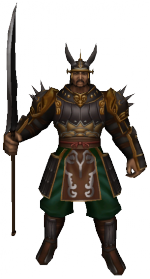
|
| |||
| Level 1 | ||||
| Material | Costs | Note | Building | |
| Yang
|
25 Million |
|

| |
| Foundation Stone
|
25x | |||
| Trunk
|
25x | |||
| Plywood
|
25x | |||
| Level 2 | ||||
| Material | Costs | Note | Building | |
| Yang
|
25 Million |
|

| |
| Foundation Stone
|
10x | |||
| Trunk
|
10x | |||
| Plywood
|
15x | |||
| Level 3 | ||||
| Material | Costs | Note | Building | |
| Yang
|
25 Million |
|

| |
| Foundation Stone
|
15x | |||
| Trunk
|
20x | |||
| Plywood
|
20x | |||

Guild Warehouse
| NPC | Info | |||
|---|---|---|---|---|

|
| |||
| Level 1 | ||||
| Material | Costs | Note | Building | |
| Yang
|
25 Million |
|
No image available | |
| Foundation Stone
|
25x | |||
| Trunk
|
25x | |||
| Plywood
|
25x | |||
| Level 2 | ||||
| Material | Costs | Note | Building | |
| Yang
|
25 Million |
|
No image available | |
| Foundation Stone
|
10x | |||
| Trunk
|
10x | |||
| Plywood
|
15x | |||
| Level 3 | ||||
| Material | Costs | Note | Building | |
| Yang
|
50 Million |
|
 | |
| Foundation Stone
|
50x | |||
| Trunk
|
45x | |||
| Plywood
|
40x | |||

Leather Stove
| NPC | Material | Costs | Note | Building |
|---|---|---|---|---|

|
Yang
|
1 Billion |
|
|
Leathersmith
| NPC | Material | Costs | Note | Building |
|---|---|---|---|---|
|
|
Yang
|
1 Billion |
|
|
| Foundation Stone+
|
40x | |||
| Plywood+
|
40x | |||
| Trunk+
|
60x | |||
 Runestone Runestone
|
1x |

Objects/Decoration
Guild Land Logo
| Material | Costs | Note | Building |
|---|---|---|---|
| Yang
|
3 Million |
|

|
| Trunk
|
5x | ||
| Plywood
|
5x |
Stones
| Material | Costs | Note | Building |
|---|---|---|---|
| Yang
|
300.000 |
|

|
| Foundation Stone
|
5~9x |
Trees
| Material | Costs | Note | Building |
|---|---|---|---|
| Yang
|
2 Million |
|

|
| Trunk
|
5~9x |
Guild Banners
| Material | Costs | Note | Building |
|---|---|---|---|
| Yang
|
1 Million |
|
.png) .png) .png)
|
 Anniversary Flag Anniversary Flag
|
1~5x |
Guild Dungeons
- As you level up the guild, you will be able to unlock dungeons that are exclusively reachable by guilds only.
- Keep in mind that members must have the permission 'Combatant' enabled in order to join guild dungeons.
- Meley's Lair (Guild) - from guild level 3
- Balathor's Crypt - from guild level 21
- Palace of the Dragon King (Akzadur) - from guild level 21
- Palace of the Dragon King (Nafaroth) - from guild level 24
- Palace of the Dragon King (Exedyar) - from guild level 27
- Palace of the Dragon King (Ruilith) - from guild level 30
- Palace of the Dragon King (Tyolduran) - from guild level 35
Other information
- At last, here you will find some details that have not yet been mentioned:
- When the guild leader has not been online for more than 100 days, a new guild leader will be automatically picked based upon the most active member who is level 40+.
- Players that perform upgrades or refinements on any guild land that is not theirs will pay the exact same price just like the regular blacksmith. If you are in a foreign kingdom, you will pay 3x the price. Players who use their own land will receive 30% discount instead. Keep in mind that guild leaders can change the price themselves by Guardian. The success percentage is equal for every player.
- Guild leaders can always move or remove buildings/objects from their guild land, even changing Alchemists or Blacksmiths. This requires 1.000.000 Yang per move.
- When a player is making refinements or activating a buff on a guild land, 10% of the Yang costs is instantly deposited to the guild treasury on whose guild the NPC belongs to. This is also the case for guild members that perform purchases on their own land.
- When guilds do not pay their lease will result in guild land loss and thus the land can be bought again by everyone. The progress made from the previous guild will be saved. The building level of NPC's for example; should the guild who lost or abandoned their land rebuild it again, all progress will remain once the building is set up. This kind of progress can only be lost if the guild is deleted.
- The maximum capacity of members in a guild from guild level 29 is 90, regardless of altar level. The capacity of prior levels can be increased, but to a maximum of 90 members.
- You are able to set your PvP mode to 'Guilds'. This way, you can attack anyone in your kingdom except your guild mates.
- The appearance of your horse changes depending if you are in a guild or not. Also being a guild leader gives its own appearance.
- The total sum of experience points needed to guild level 20 is an astonishing 1.734.800.000. This is almost equal to the amount of the required experience points of a character level 97.
- A ranking list can be viewed from ingame or website. The highest guild level will be on top, followed by guild points.
- For each level up, you receive 1000 guild points.
- For each victory on a guild war, you receive ??? guild points while you loose ??? guild points by defeat.
- Players that are not part of the war, can watch the battle as a spectator. Talk to the to see ongoing wars. In this spectator state, you cannot interact with players. To end the spectator mode, click on the button located at the bottom right side.
- The Medal of Bravery that you get for donating to the guild above level 20, can be used to buy items from . You can also get Medal of Bravery by pressing the 'Attendance' button on the main guild window (available after you joined the guild for at least 24 hours). The Elemental Scrolls from Medal Keeper can be used to add an element to a weapon of +7 or higher. For more information, see the bonuses page. The shop window of Medal Keeper is also unlocked in the guild UI from guild level 21.





_Interactive_Map.png)
_Interactive_Map.png)
_Interactive_Map.jpg)
_Interactive_Map.jpg)
_Interactive_Map.jpg)


